Legend
or
Modes
AI Paraphrasing Tool
Your words matter, and our paraphrasing tool helps you find the right ones. With unlimited Custom modes and 9 predefined modes, Paraphraser lets you rephrase text countless ways. Whether you’re writing for work or for class, our product will improve your fluency and enhance the vocabulary, tone, and style of your writing. Simply enter your text into the input box, and our AI will work with you to create the best paraphrase.



Why use Quillbot's paraphrasing tool?
Whether you’re a student or a professional, Paraphraser's unique features help
your writing shine.
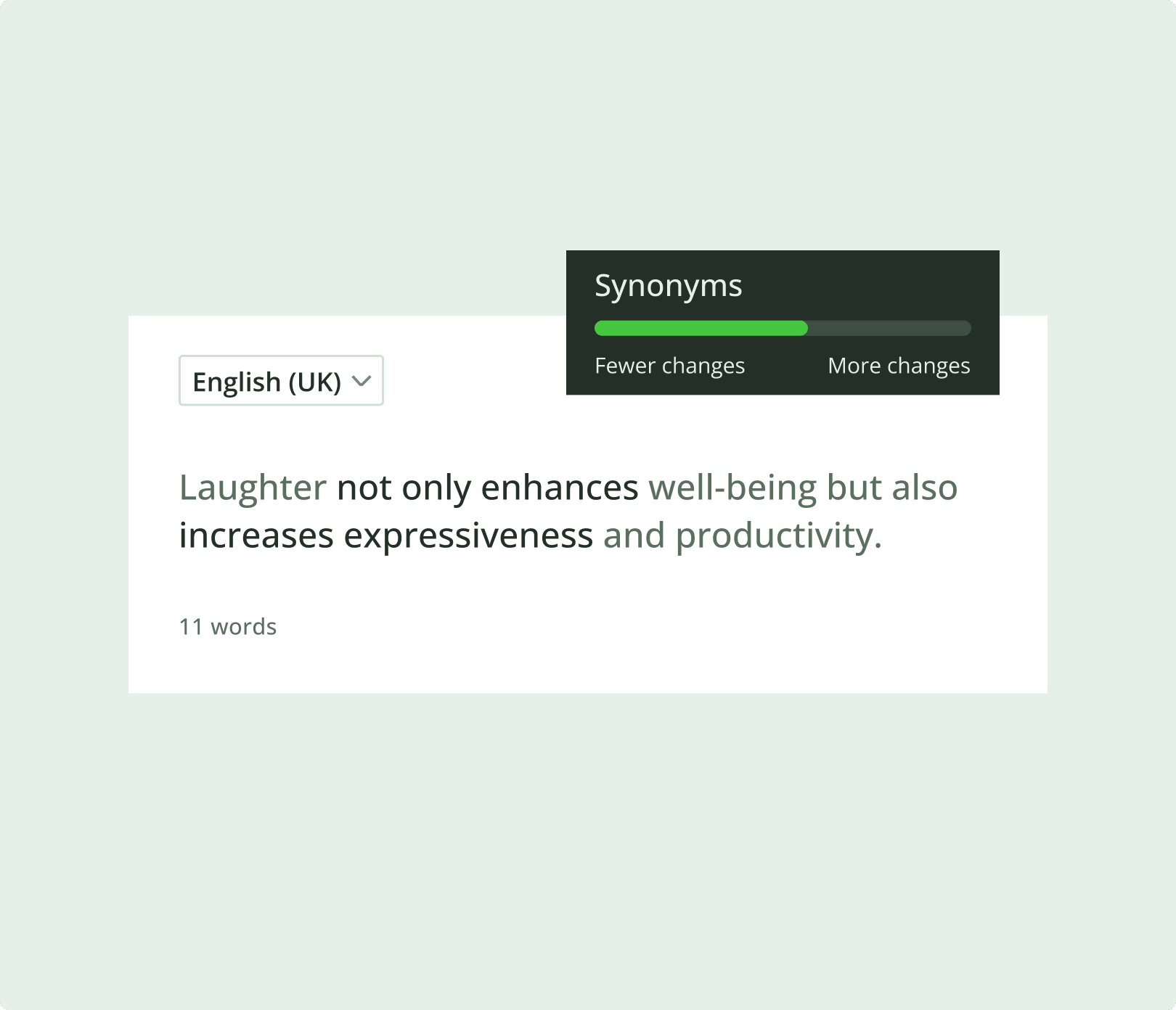
Decide how much vocabulary you want to change
Use the Synonym Slider to change more (or less) of your writing. Moving the slider to the left will give you a more accurate rephrase with fewer changes; moving it to the right means you’ll get a more creative output with more changes.
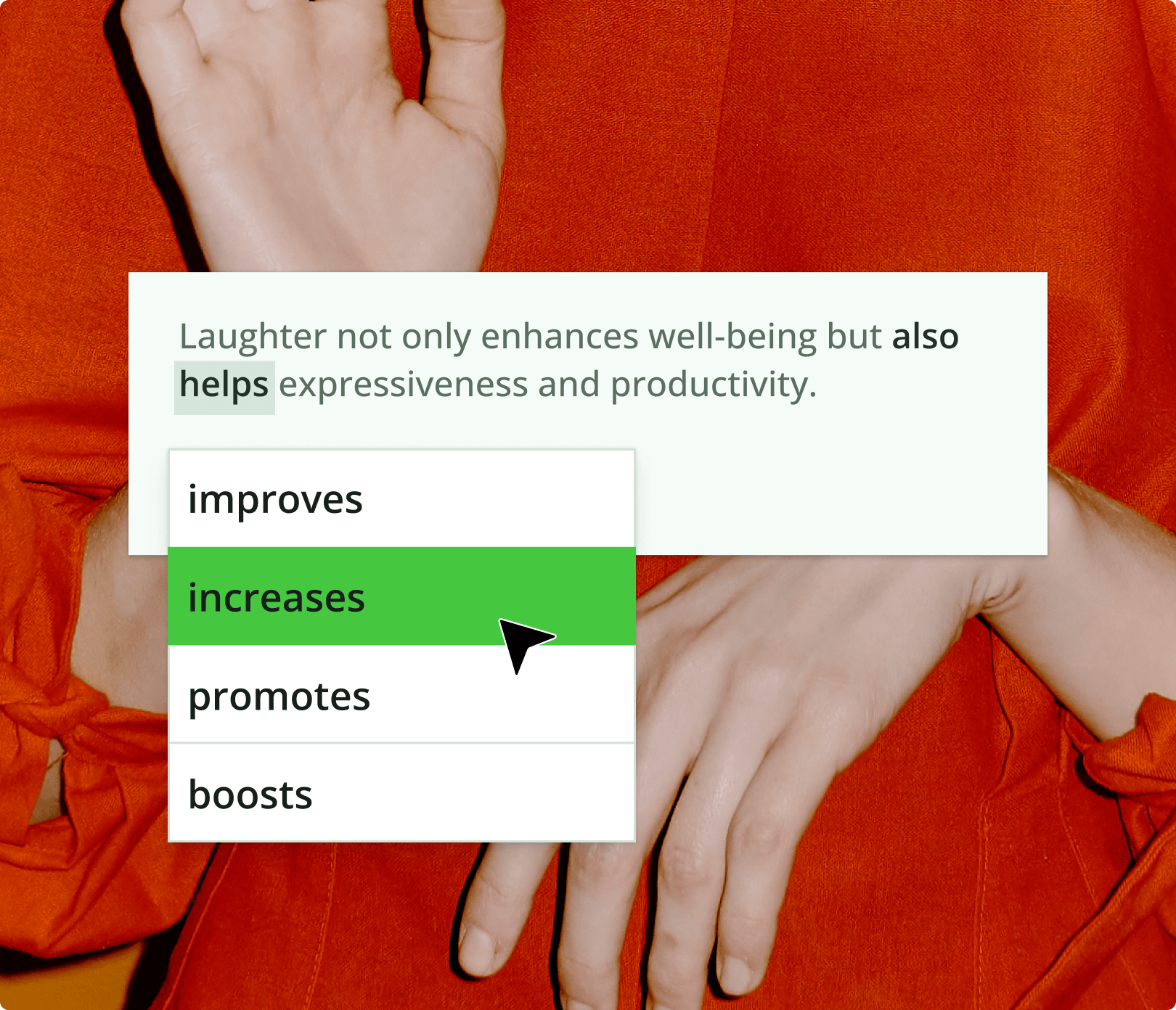
Find the best synonym using an AI-powered thesaurus
Click on any word in AI Paraphraser to see a list of suggested synonyms. Then, choose the perfect word to fit the tone of your project—whether it’s for work, class, or both! After polishing your tone and word choice, you can also check your text with Quillbot’s AI Detector
How does Quillbot’s Paraphraser work?
Quillbot's online paraphrasing tool uses AI to find new ways to phrase sentences without changing their meaning or context. Think of it like a full-sentence thesaurus.
Paste or type your text
Choose mode
Export your text

Quillbot’s Paraphraser helps you write better, faster, and smarter
Our AI rewording tool humanize AI
Better writing: Enhance fluency, vocabulary, tone & style
Instant rephrases: Rewrite sentences, paragraphs & more in seconds
10+ AI modes: Find a style that's perfect for your project
Multilingual capabilities: Rephrase text in 20+ different languages
Featured in


Get 10+ paraphrasing modes to choose from
Try writing in different tones of voice.
Rewrites text with new vocabulary and word order
Improves the clarity and readability of text

Rephrases text in a more sophisticated way
Presents text in a way that’s easy to understand
Rephrases text in an original and innovative way
Expresses text in a technical and scholarly way
Increases the length of the text
Conveys the meaning of text concisely
Rewrites text in a more human, authentic way
Rewrites text to match the unique description provided
Why writers love use
AI Paraphraser FAQs
What is paraphrasing?
Paraphrasing is putting a piece of text into new words without changing the overall meaning. It involves rephrasing sentences or paragraphs, using synonyms, and restructuring the text while still maintaining the core message. You can paraphrase using your own words or with AI writing tools
What's the difference between paraphrasing and summarizing?
Paraphrasing transforms the text into new words without changing the overall length. On the other hand, summarizing
How can Paraphraser help working professionals?
Working professionals can use AI Paraphraser to rephrase digital communication for clarity and professionalism, expand or shorten memos and reports, improve the flow and consistency of written content, simplify technical language, and more.
What kind of text can I paraphrase with Quillbot's paraphrasing tool?
Our tool can paraphrase any kind of text, making it useful for a variety of projects. Try it with:
- Sentences
- Paragraphs
- Articles or excerpts
- Many more
What other writing and refining tools Quillbot provides beside paraphraser?
QuillBot goes beyond just paraphrasing to support every stage of the writing process. We also provide powerful tools like our Grammar Checker Plagiarism Checker AI Chat
Is Quillbot's paraphrasing tool free?
Yes! Our Paraphraser is free to use. You can rephrase up to 125 words at a time, as many times as you’d like. There are no daily limits on free paraphrases. We also offer two free modes: Standard and Fluency. If you’d like to paraphrase more text at once and unlock additional modes, check out QuillBot Premium
What creation and editing tools does Quillbot provide?
In addition to paraphrasing, grammar checking, and validating text authenticity, QuillBot offers AI writing tools, PDF editors, file converters, AI image generators, and productivity tools to help you create content faster and smarter. AI Text Generator AI Story Generator AI Email Writer AI Search Ask AI PDF Editor PDF Converter Converter Tools page AI Image Generator AI Image Editor here AI Website Builder AI Presentation Maker Speech-to-Text Text-to-Speech Word Cloud Generator AI Tools PDF Tools Converter Tools Image Tools AI Writing Tools
You can generate high-quality text using
For working with PDFs, you can chat with PDF, edit them using
Explore all options on the
For web and productivity tools, you can use
For a complete view of all QuillBot tools, visit: