You’re grading assignments when a student submits digital artwork that gives you pause. It’s impressive, but unlike anything they’ve submitted before. In a different situation, you’re scrolling through social media and see photos from what looks like an exclusive event, yet something doesn’t quite add up. Or you’re following breaking news and can’t shake the feeling that the dramatic images being shared might not be real.
In everyday situations like these, deciding what’s real isn’t always straightforward. As AI-generated images become harder to spot with the naked eye, AI image detectors are quickly becoming part of basic digital hygiene—simple checks that help people question images thoughtfully instead of taking them at face value.
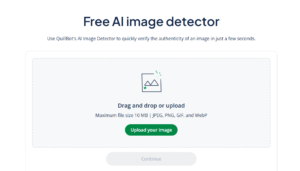
Pro tipUse Quillbot’s free AI image detector to upload an image and see a quick percentage of how likely it is to be AI-generated.
As AI-generated images become increasingly realistic, knowing how to spot them has become an essential skill for anyone navigating digital content.
Below, you will find simple ways to spot AI-generated images and learn how online tools like Quillbot’s AI image detector can help you detect AI images when visual clues aren’t enough.
Whether you’re solving today’s Wordle, strategizing in Scrabble, or expanding your vocabulary, 5-letter words starting with M are essential for word game success. From everyday terms like “money” and “music” to high-scoring plays like “mixup” and “myrrh,” the letter M offers countless possibilities.
This guide covers over a hundred 5-letter M words, organized by category for quick reference. You’ll find common words, rare gems, and strategic options perfect for winning tough rounds.
Looking for other types of words, like verbs starting with M? Quillbot’s free AI Chat can show you lists for any category or theme.
Verbs that start with M include everyday actions like “make,” “meet,” and “move,” alongside less common verbs such as “mollify,” “monopolize,” and “maladapt.” Organized by use, the lists below help writers, students, and word-game players find the right verb quickly.
5-letter words starting with S are a great resource for puzzle fans, word game enthusiasts, and teachers. From easy-to-remember words to high-scoring gems, this article includes over 300 words perfect for improving your skills and expanding your vocabulary. Use these 5-letter words that start with S to improve your skills and expand your vocabulary, whether for Wordle, Scrabble, or classroom activities centered on the letter S.
Want to explore more word lists or find words by letter or theme? Quillbot’s AI Chat can help—and it’s free to use anytime.
Verbs that start with E include familiar everyday words like “eat” and “enter,” as well as more advanced choices such as “exult” and “euphemize.” This guide is designed for students, writers, and English learners who want to choose their wording with greater precision and confidence.
Each entry includes a clear definition, accompanied by example sentences where helpful. Everything is organized alphabetically, so you can quickly scan for the word you need—whether you’re revising a sentence, studying vocabulary, or hunting for the perfect fit in a word game.
Poetic devices are techniques poets use to shape language in poetry. They involve deliberate choices about sound, structure, and meaning that influence how a poem reads, sounds, and conveys ideas and emotions.
Poetic devices examples“The moon is a pale lantern in the night sky.” [metaphor]
“Soft sounds of summer slipped away.” [alliteration]
“The leaves whispered secrets to the wind.” [personification]
Poetry is a form of writing that uses carefully chosen words, rhythm, and sound to express emotions and ideas in a condensed, artistic way. From structured forms like sonnets to flowing free verse, poets use various techniques to create works that resonate deeply with readers.
Narrative writing is where stories come alive—whether you’re writing a personal memoir, helping students find their voice, or exploring your own experiences on the page. The right prompt can bring memories to the surface, inspire new ideas, and turn a blank screen or page into something meaningful.
Below, you’ll find narrative writing prompts organized by theme and age level, from personal memories to creative storytelling exercises. And if you need more inspiration, a prompt-writing tool like Quillbot’s writing prompt generator can help you generate custom ideas in seconds.
Short story ideas can come from anywhere—a conversation you overheard, a vivid image, a wild, what-if question that popped into your mind while doing the dishes. But what happens when inspiration runs dry and writer’s block hits? No need to worry; this article includes over 100 short story ideas across different genres and age groups to inspire your next creative project.
Need even more inspiration? Try Quillbot’s free AI story prompt generator, which creates unique prompts tailored to your writing style and interests.
Download our FREE All-in-One Content Workflow Guide to learn how to create, refine, and repurpose content more efficiently with Quillbot. Packed with actionable tips and real-world workflows.