Whether you’re designing a presentation, thumbnail, or social media post, creating an effective background is an essential part of digital content creation. AI background generators, such as QuillBot’s free AI background generator, make it faster and easier to bring your creative background ideas to life.
Veterans Day quotes provide a powerful way to honor the courage, sacrifice, and dedication of those who have served. These meaningful words from historical figures and modern-day leaders help people connect more deeply with the spirit of Veterans Day, which is observed in the US on November 11 each year.
Whether you’re seeking Veterans Day quotes for a social media post, Veterans Day message, classroom display, or personalized gift, the examples below provide timeless insight into the strength and service of US veterans.
TipQuillBot’s free AI image generator can help you brainstorm eye-catching and patriotic Veterans Day images that will pair perfectly with Veterans Day quotes and messages.
Veterans Day is a powerful reminder of the courage, sacrifice, and dedication shown by those who have served in active duty in the US Armed Forces. A Veterans Day message expresses appreciation and respect to military veterans for their service. It can be shared in person, in a card or text message, or on social media.
Finding the right words to match the depth of that service can feel challenging, especially when you want your message to feel personal, respectful, and sincere.
Whether you’re honoring a family member, co-worker, friend, or unknown hero, the 50 examples below show how to craft a meaningful Veterans Day message. Whatever you decide to write, QuillBot’s free Grammar Checker will ensure that it’s error free.
Veterans Day message exampleThank you for your service and the sacrifices you’ve made to protect our freedom. I deeply admire the strength and resilience you’ve shown, both in uniform and everyday life. You’ve not only served your country, but you continue to inspire everyone around you.
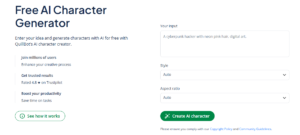
Every great story begins with its characters—but imagining what they look like or how they carry themselves can take time. Whether you’re a writer visualizing a protagonist, a game master designing an NPC for a DnD campaign, or a teacher running roleplaying and interactive storytelling exercises, turning abstract ideas into something tangible is often the hardest part.
With an online AI character generator, a few descriptive words can become detailed visuals that reflect a character’s personality, style, and presence. It’s a creative way to brainstorm and refine ideas, giving you a clearer picture of who your characters are and how they fit into your story.
In this article, we’ll explore how to create an AI character, share tips for crafting effective prompts, and show how QuillBot’s free AI character generator can bring your ideas to life.
Your logo helps to express the personality of your brand or business, setting the tone for how you connect with your customers or audience—so it’s worth investing the time to get it just right. Using an AI logo generator, such as QuillBot’s free AI logo generator, can jump-start your logo design process.
Published on
October 8, 2025
by
QuillBot.
Revised on
October 23, 2025
Microsoft PowerPoint (PPT) is a hugely popular presentation tool used across the world by business and education. If you want to share the content of your carefully crafted PPT file without leaving it open for people to edit or change, then it’s best to send it as a PDF.
You can do these tasks natively from inside PowerPoint itself, or you can use something like QuillBot’s free PPT to PDF conversion tool. It’s a simple drag-and-drop operation.
Thanksgiving—a season filled with cozy gatherings, delicious feasts, and heartfelt gratitude. Whether you’re sharing the table with family or enjoying Friendsgiving with your closest crew, find the perfect caption for your Thanksgiving photo dump here.
If you’re looking for something more customized, AI can help! Try QuillBot’s free AI Instagram caption generator for an endless list of ideas.
Published on
October 1, 2025
by
QuillBot.
Revised on
October 23, 2025
The purpose of a project proposal is to obtain approval, support, or funding before a project can start. To write a good project proposal, you need to define your target audience, tailor the proposal to their interests and concerns, and provide decision-makers with the information they need to make an informed choice. An AI project proposal generator, such as QuillBot’s free AI project proposal generator, can help you plan and draft your project proposal.
Coming up with new story ideas can feel harder than writing the story itself. A story prompt generator gives you a way out, offering a wide range of story writing prompts for you to experiment with. You might discover love story prompts that explore complex emotions, mystery story prompts with unexpected twists, fantasy short story prompts filled with magic, or dystopian story prompts imagining grim futures.
In the following sections, you’ll find creative story prompts across genres and learn how Quillbot’s AI story prompt generator can help transform scattered ideas into captivating story starters.