An executive summary is a brief overview of a document such as a report. It can serve as an introductory section to the document itself or function as a standalone text for readers who only need to know the key points. An executive summary generator, like QuillBot’s AI executive summary generator, can help you write a summary that captures the most important information and is tailored to your target audience.
A hashtag is a word or phrase preceded by the hash symbol (#). Hashtags are most commonly used on social media to categorize content. Individual users also sometimes create their own hashtags to tag or brand their content.
You can create hashtags manually, or you can use QuillBot’s free AI hashtag generator to speed up the process for you.
Finding the right product name is crucial because it’s a core part of your product’s identity and needs to align with how you plan to market it. A tool like QuillBot’s free AI product name generator can help you select a name that’s right for your audience and brand.
Finding the right business name is crucial because it shapes first impressions and lays the foundation for your brand identity. A tool like QuillBot’s free AI business name generator can help you select a name that’s memorable, relevant, and aligned with your marketing plans.
A title is the first thing your audience sees when engaging with your work. The purpose of a title is to identify something, whether it’s an essay, article, book, or academic paper.
A strong title can draw your reader in, capturing their interest and making them want to read more—but a bad title might be the only thing they read before moving on.
One of the hardest parts of creating a memorable title is idea generation. QuillBot’s free AI title generator can help you generate dozens of customized title ideas in seconds.
Published on
July 14, 2025
by
QuillBot.
Revised on
October 8, 2025
An AI text generator is a generative AI tool that makes bite-sized content faster and easier to write. AI text generators instantly create headlines, email subject lines, captions, text messages, and even essay titles that engage readers and get results.
Using an AI text generator involves these steps:
Enter a clear and specific prompt (e.g., “Write a 670–700 character meta description for a blog article about flowers that start with A”).
Specify your tone or style (e.g., funny, witty, conversational, or academic).
Ask for 5–10 options so you can compare, choose the best one, or create a hybrid version of your favorite outputs.
For a headline or similar, include the full text {in curly brackets} (if you have one).
This article explores 7 quick and fun ways that an AI text generator makes professional and everyday writing tasks faster and easier.
The next time you need to write bite-sized or short-form content, give QuillBot’s free AI text generator a try.
How to use an AI text generator exampleHazel is posting a mid-century modern bookcase on Facebook Marketplace. She’s already written the description and needs a catchy title for the post. She opens QuillBot’s free AI text generator and types this prompt.
I would like to see 5 witty titles for this Facebook Marketplace post: {Mid-century modern, walnut bookcase with 2 adjustable shelves. Tapered pedestal legs with brass accents. Excellent condition. One small scratch on the left inside panel. $300 OBO}. Each title should be 65 characters or less.
Writing song lyrics can be a deeply creative but challenging process. Whether you’re stuck on the first verse or searching for the perfect end rhyme, it’s easy to hit a wall. That’s where AI-powered lyric generators come in. These tools help you turn song ideas into fully formed lyrics faster than you can say “do-re-mi.”
There are many AI tools to help you write lyrics, such as QuillBot’s free AI lyric generator.
Published on
July 14, 2025
by
Tom Challenger, BA.
Revised on
January 6, 2026
Knowing how to use AI to write a cover letter is all about providing the chatbot with the specific information it needs to help you write a personalized cover letter that’s tailored to the job you’re applying for.
When using a chatbot like QuillBot’s free cover letter generator to write your cover letter, supplement the prompt with information from your resume (excluding personal details such as your name and contact details), the job posting, and the company you’re applying to.
Published on
July 8, 2025
by
Kate Santoro, BS.
Revised on
October 28, 2025
An acronym is an abbreviation formed from the initial letters of other words and pronounced as one word (e.g., “NASA” or “UNESCO”).
Acronyms are powerful tools for communication. They simplify complex phrases, help build memorable brand names, and make technical jargon more accessible. Knowing how to create an effective acronym can make your messaging clearer and more memorable.
Published on
June 27, 2025
by
QuillBot.
Revised on
October 28, 2025
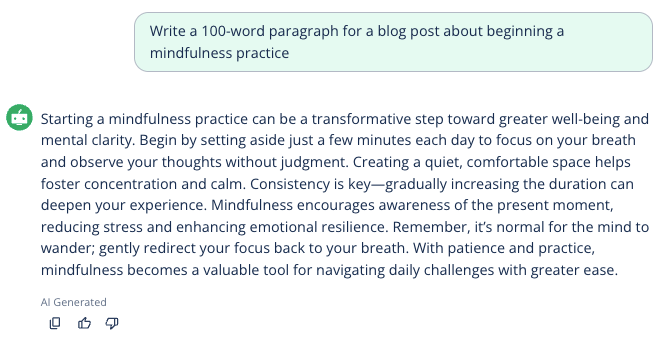
The use cases of generative AI are growing each day. You may be familiar with asking chatbots to answer a question or to generate a list or outline. Chatbots can also help with many writing tasks, such as writing a paragraph.
To get the best results, it’s helpful to understand how to use AI to write a paragraph. Efficient use involves developing good prompts and customizing AI output to meet your needs.
QuillBot’s AI paragraph generator makes writing paragraphs on any topic quick and painless.