The holiday season often feels busy, leaving little room for quiet creativity. Christmas writing prompts offer a simple way to slow things down. They can turn familiar festive moments into stories, short writing exercises, or imaginative scenes—without the pressure of starting from scratch.
This article brings together a collection of Christmas writing prompts for kids, designed with classrooms and home activities in mind, along with a smaller selection of Christmas writing prompts for adults, focused on journaling and creative writing. Whether the goal is structured practice or a few minutes of imaginative escape, these prompts offer a starting point for exploring holiday ideas in your own way.
Quick tipCan’t wait to start writing? Try QuillBot’s AI writing prompt generator to quickly create fresh, festive prompts tailored to your needs—perfect for when inspiration feels scarce or time is tight.
Few-shot prompting is a technique where you provide an AI model with examples (usually 2–5) before asking it to perform a similar task. The goal is to steer the model’s behavior by showing it the pattern you want, instead of relying on instructions alone.
This approach is particularly useful with large language models (LLMs), allowing them to infer patterns and produce more accurate outputs. Few-shot prompting is used in a variety of applications, including classifying text, rewriting content in a specific style or tone, and generating code snippets.
Few-shot prompting exampleClassify the sentiment of each message as Positive, Neutral, or Negative:
Message: I love croissants!
Sentiment: Positive
Message: Donuts are okay.
Sentiment: Neutral
Message: I can’t stand muffins.
Sentiment: Negative
Most AI chatbots can now generate images from text prompts, but you can also upload visuals with image to text prompts to ask the AI to interpret them. This means you can use tools like QuillBot’s free AI Chat for tasks such as:
Extracting text from a photo (e.g., a whiteboard, a restaurant specials board, or a shopping list)
Generating captions or alt text for images
Identifying things in an image (e.g., a plant, product, or unfamiliar object)
Pinpointing the possible location or context of a photo
Image-to-text prompts examples“Transcribe the text in this photo of a blackboard.”
“Create an alt text description for this image I want to put on my blog.”
Bing Image Creator is Microsoft’s AI image generation tool that turns written descriptions into vivid, detailed visuals, such as realistic photos, artistic illustrations, and imaginative digital art, all from text alone.
Whether you’re designing social media graphics, concept art, or creative visuals for personal projects, your results depend on how well you write your Bing Image Creator prompts. The right prompt helps the AI understand your idea, visualize the mood, and deliver an image that matches your creative intent.
This guide explains how to write effective Bing Image Creator Prompts and includes 35 examples for inspiration. QuillBot’s free AI image prompt generator can also help you brainstorm and refine prompts for any AI image generator you’re using.
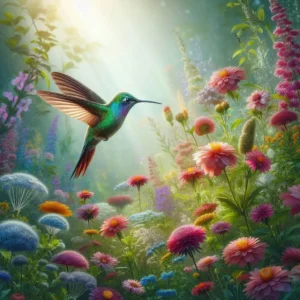
Bing Image Creator prompt example:Prompt: A hummingbird in a lush garden bursting with a variety of colorful wildflowers, capturing the natural beauty and detail of both the bird and its surroundings. Emphasize lifelike textures, vivid colors, and a soft, natural light that enhances the serene atmosphere of the garden environment.
Using an AI image creation tool—like QuillBot’s free online AI logo generator—is a quick and easy way of realizing your logo ideas as professional-looking visuals. This guide walks you through how to plan and refine effective AI logo prompts and includes example phrases and templates you can adapt for your own designs.
Searching and applying for jobs can feel like a job itself, and building a strong resume is often the hardest task on the list. You want it to highlight your achievements, show measurable results, and pass Applicant Tracking Systems (ATS) filters—all without spending hours rewriting every bullet point.
ChatGPT can help if you know which prompts to use. In this article, you’ll find ready-to-use ChatGPT resume prompts for every stage: writing your resume, refining details, tailoring it to specific roles, and proofreading, helping you get the most out of ChatGPT for resume writing.
Chain-of-thought prompting refers to ways of instructing a large language model (LLM) to reason through a problem step by step before giving its answer.
You can think of it like asking the AI to “show its work”—the way a teacher might ask a student to write out their reasoning before giving the final answer—even if the user of the LLM may only see that final answer.
TipYou can use QuillBot’s free prompt generator to help you refine your AI prompts for more accurate responses.
Google Gemini has taken social media by storm, with millions of users turning everyday photos into viral edits. At the heart of this craze are Gemini prompts for image generation—the text instructions you give to Google’s AI to create, edit, or transform content.
Why do they matter? Because the quality of your prompt directly shapes the results. A vague request like “make this look better” won’t get you far, but a detailed prompt describing style, mood, colors, and specific elements can unlock Gemini’s full creative power. With Google’s latest Nano Banana update inside the Gemini app, Gemini prompts for photo editing have become even more powerful and versatile—whether you’re removing distracting backgrounds, creating striking 3×3 portrait grids for Instagram, or exploring viral trends like retro Bollywood posters and Polaroid-style photo edits.
In this guide, we’ll break down what makes an effective Gemini prompt, explore the hottest edits, and share ready-to-use prompts for photo editing in Gemini that help you elevate your images with professional polish and creative flair.
ChatGPT can write emails, plan trips, summarize research, and much more—but only if you prompt it the right way. ChatGPT prompts are the instructions you give the tool about how to complete a specific task, and the quality of your prompts directly affects the quality of ChatGPT’s output.
Whether you’re looking for the best ChatGPT prompts for writing, productivity, or fun, or you simply want to understand how prompting works, this guide will get you thinking like a prompt engineer and give you ready-to-use examples you can try out today.
Love them or hate them, AI action figures have been quite the rage lately. If you’re unfamiliar with them, they are a virtual representation of what you would look like as an action figure toy. The image presents the figure in a box with a clear plastic front, and the figure has a number of accessories to go with the job they do.
You can write your own prompt to enter into the input section of an AI image generator, or you can use QuillBot’s AI Chat to write it for you. This article has some tips and tricks for writing prompts to get the best possible results.