
Teal Color Meaning | Connotations & Shades
#008080
Teal is a blue-green color that blends the calmness and dependability often associated with blue with the natural, restorative qualities green can evoke, making it a versatile choice in design, branding, and interiors.
This article explores the meanings of the color teal, the names used for different shades of teal, commonly used color codes for teal, and colors that combine well with teal.

What color is teal?
Shades described as teal are typically medium-to-dark blue-greens that sit near cyan on the color wheel, which is why people often wonder, “Is teal blue or green?”
If you increase the lightness of the CSS color “teal” (#008080) while keeping the hue the same, it becomes the CSS color “cyan” or aqua—the two CSS color names for the hex code #00FFFF.
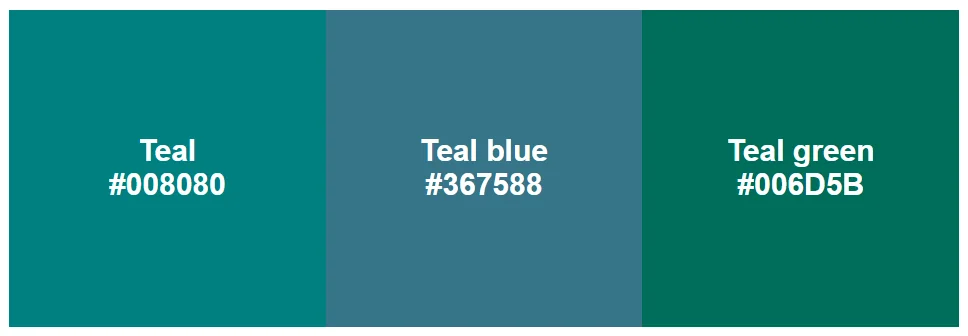
Teal blue color
The color name teal blue refers to shades of teal with a bluer undertone, landing in the blue-green range between teal and deeper cyan tones. A commonly used hex code for teal blue is #367588.
Teal green color
Teal green describes darker shades of teal that lean more toward green than blue, close to deeper sea-green tones. A commonly used hex code for teal green is #006D5B.
What does teal symbolize?
Teal is often used to evoke calm clarity, balance, and quiet confidence—a blend of blue’s assuredness and green’s invigorating energy. It’s a popular choice for wellness and fintech apps, coastal-inspired interiors, and clean, modern packaging for beauty and health products
Teal is a useful alternative to blue when blue feels too corporate or uninspired, but you still want to convey trust and competence.
As an alternative to green, teal can work well if you’re going for fresh and modern and want to avoid the eco-friendly or earthy connotations of green.
Color conversion
#008080| Format | Value |
|---|---|
| HEX | 008080 |
| RGB | 0, 128, 128 |
| RGB Percent | 0%, 50%, 50% |
| CMYK | 1, 0, 0, 0.5 |
| HSL | 180°, 100%, 25% |
Facts about teal
The color name teal comes from the Eurasian teal duck, which has a blue-green stripe on its head.
Teal was chosen as one of the 16 basic color keywords recognized in early HTML/CSS, a widely supported set of named colors in early web design. This likely helped to cement “teal” as a frequently used color name.
Around the same time in the 1990s, teal became a popular color for the uniforms of North American sports teams, including the Florida Marlins (now called the Miami Marlins).
Teal color code
The teal hex code for the standard HTML/CSS color name “teal” is #008080.
Widely used color codes for the shades teal blue and teal green are #367588 and #006D5B, respectively.
Here are some other CSS color names, with their codes, in the blue-green family that sit close to teal on the color wheel.
- DarkCyan #008B8B
- LightSeaGreen #20B2AA
- CadetBlue #5F9EA0
- MediumTurquoise #48D1CC
- DarkTurquoise #00CED1
- Turquoise #40E0D0
- PaleTurquoise #AFEEEE
- Aquamarine #7FFFD4
Color variations
Tints
- #009e9e • Click to copy
- #00bdbd • Click to copy
- #00dbdb • Click to copy
- #00fafa • Click to copy
- #1affff • Click to copy
- #38ffff • Click to copy
- #57ffff • Click to copy
- #75ffff • Click to copy
Shades
- #006161 • Click to copy
- #004242 • Click to copy
- #002424 • Click to copy
- #001414 • Click to copy
- #001414 • Click to copy
- #001414 • Click to copy
- #001414 • Click to copy
- #001414 • Click to copy
Tones
- #00c2c2 • Click to copy
- #08c9c9 • Click to copy
- #12cece • Click to copy
- #1dd3d3 • Click to copy
- #29d6d6 • Click to copy
- #3fcfcf • Click to copy
- #54c9c9 • Click to copy
- #68c4c4 • Click to copy
Shades of teal
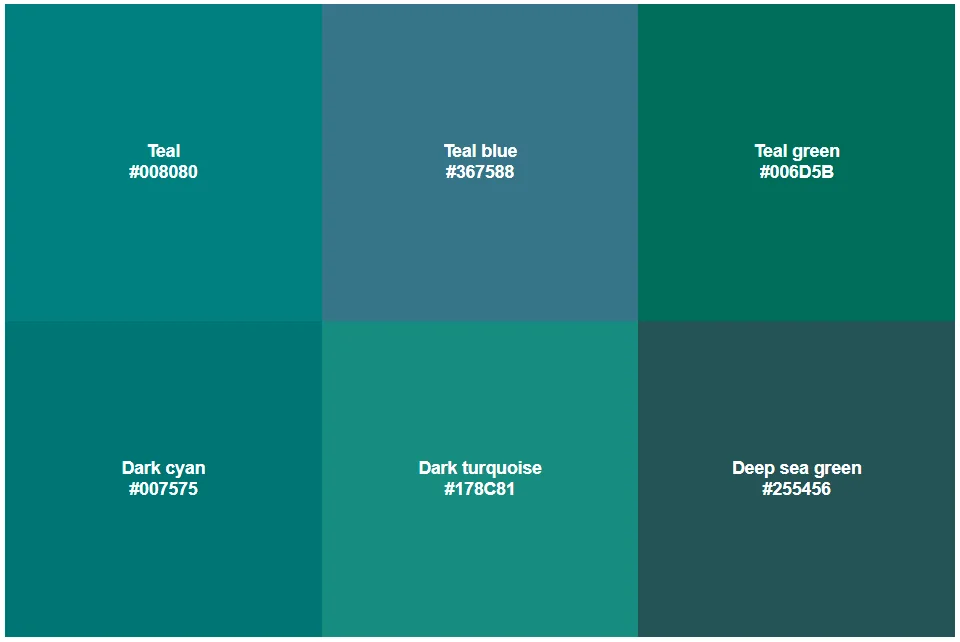
Teal is a blue-green color, typically medium to dark in tone. Different shades of teal contain varying amounts of blue or green. Some shades of teal may overlap with color descriptions such as “dark cyan,” “dark turquoise,” or “deep sea green.”
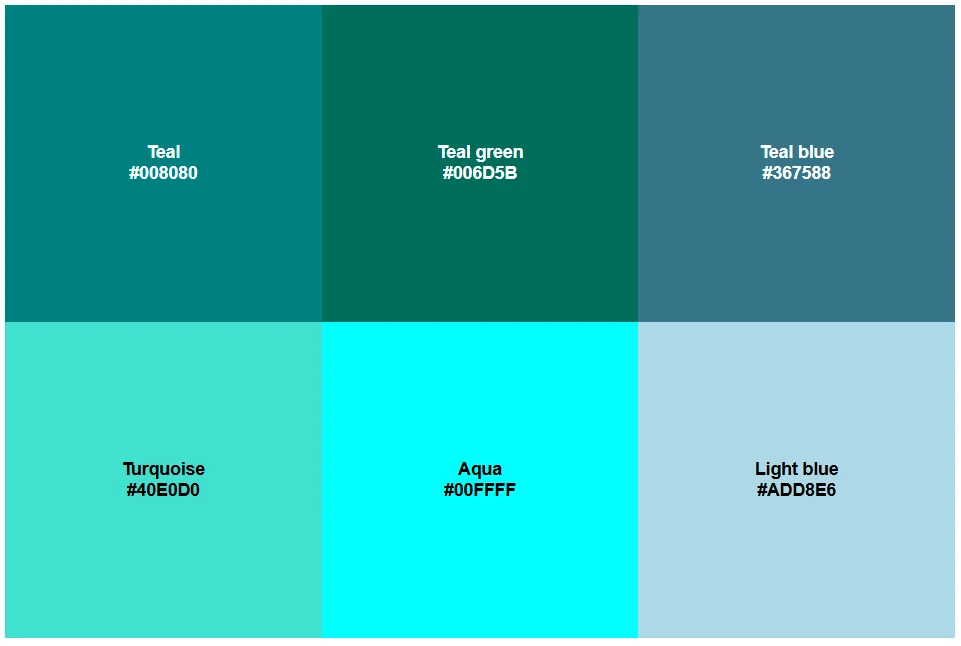
When you lighten teal, it produces shades of turquoise and aqua, or light blue if it contains more blue.
Dark teal
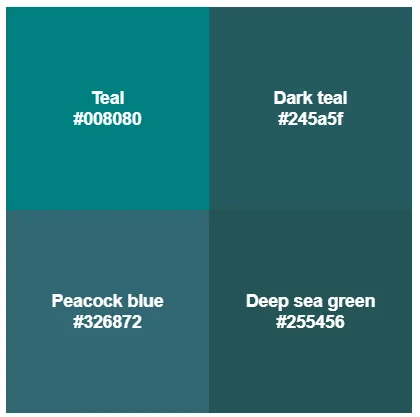
Dark teal describes deeper shades of teal. Depending on whether it’s more blue-leaning or green-leaning, dark teal can overlap with names like peacock blue or deep sea green.
In design, dark teal works well as a more refined, grounded alternative to teal, or as a supporting or accent shade in a teal-led palette. In interiors, it pairs especially well with warm metals, light woods, and creamy whites.
Light teal
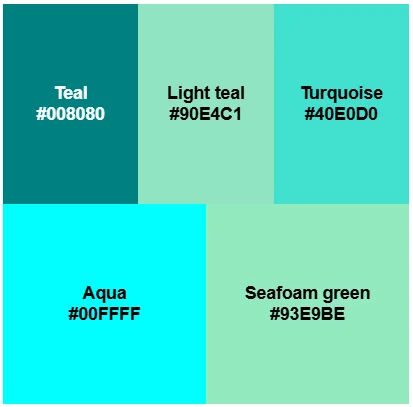
Light teal describes pale tints of teal, giving it a softer and more airy feel than teal. Light teals can be slightly more blue-leaning or green-leaning, overlapping with color names like turquoise, aqua, or seafoam green.
Colors that go well with teal
Teal pairs well with warm accents that balance its coolness, as well as some crisp or warm neutrals and neighboring blues and greens.
- Warm accents: Coral, terracotta, soft orange, and warm pink
- Crisp neutrals: White, off-white, light gray, and charcoal
- Soft/warm neutrals: Cream, sand, and warm gray
- Neighboring colors: Navy blue and sea green
- Metallic accents: Gold and brass
Teal wallpaper
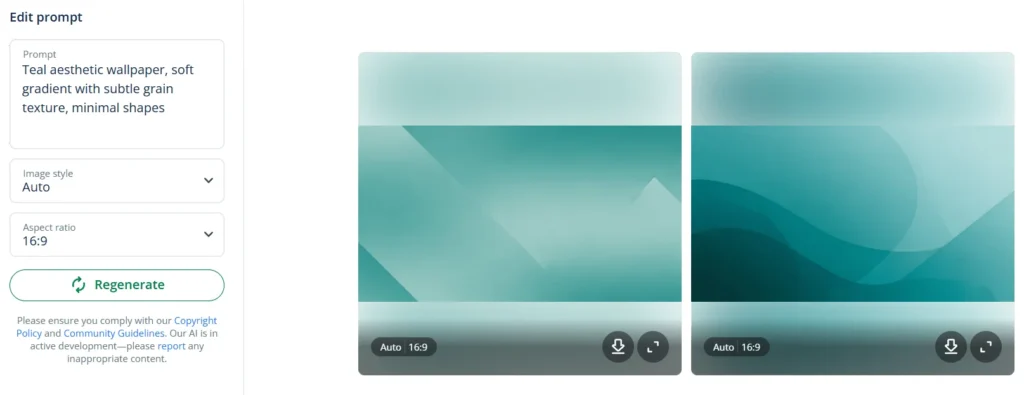
You can create custom teal aesthetic wallpaper for your phone, laptop, or tablet using QuillBot’s free online AI wallpaper generator. Start with a simple prompt, which you can then refine using an iterative process, adding details like texture, lighting, and style.
Here are some example prompts for you to try out:
- “Teal aesthetic wallpaper, soft gradient with subtle grain texture, minimal shapes”
- “Deep teal wallpaper with gold geometric lines, modern and elegant”
- “Teal ocean watercolor wallpaper, calm, airy, high resolution”
- “Teal and coral abstract wallpaper, retro 90s vibe, bold shapes”
- Mono
- Analogous
- Complimentary
Frequently asked questions about teal
- How can I create a teal color palette?
-
One good way of creating a teal color palette is to upload an image featuring a teal color scheme that you like to a tool such as QuillBot’s free color palette generator.
These tools can analyze images to produce balanced color palettes that you can use as a starting point.
- What is a bright teal color?
-
The color name teal is typically used to describe medium-to-dark blue-greens. When you make teal brighter and more vivid to create a bright teal color, you get colors like turquoise, aqua, or cyan.
To explore brighter tints of teal, enter the teal color code #008080 into QuillBot’s color wheel tool.
