
Creating Visuals with an AI Random Image Generator
The right image can stop a scroll, clarify an idea, or make a post worth sharing. But finding the perfect image isn’t always easy. Stock photo libraries can feel repetitive, and creating custom graphics usually requires design skills.
An AI random image generator is a faster way to get what you need. Instead of searching for existing visuals, you can generate new images in seconds using a simple text prompt—and sometimes discover unexpected ideas along the way.
Tools like QuillBot’s AI Random Image Generator make it easy to create unique visuals or explore random prompts when you’re looking for inspiration.
Output:
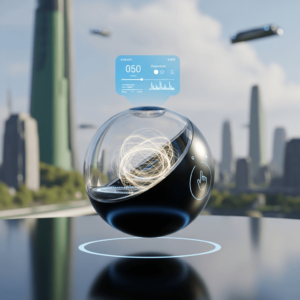
How to use an AI random image generator
Using an AI random image generator typically takes only a few steps. Here’s how it works with QuillBot’s AI Random Image Generator:
Step 1: Enter a prompt
Start by describing the image you want to create. Your prompt can be simple or detailed, depending on the type of image you want.
The AI tool will generate an image that matches this scene, giving you a visual to complement your story.
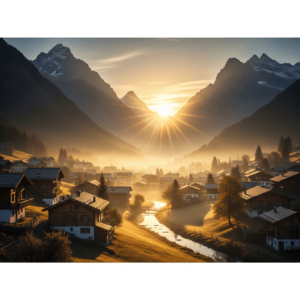
Step 2: Adjust the settings (optional)
QuillBot’s tool allows you to customize aspects of the generated image, such as:
- Art style
- Aspect ratio
These settings help shape the visual style and layout of the final image.
Step 3: Generate the image
Click “Generate,” and the AI tool will create an image based on your description. This usually takes just a few seconds.
Step 4: Regenerate or refine
If the result isn’t exactly what you imagined, you can modify the prompt or generate another version. Even small changes in wording can lead to very different images.
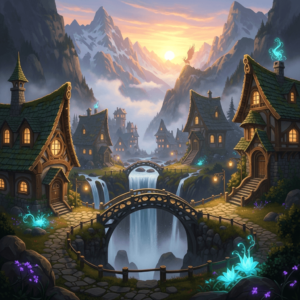
Step 5: Download the image
Once you’re satisfied with the result, download the image and use it in your content, presentation, or creative project.
What is a random AI image generator?
A random AI image generator is a tool that creates unique images using artificial intelligence. Instead of selecting a picture from a database, you type a short description (called a prompt), and the AI generates a new image based on that description.
For example, prompts like “A glowing forest at night with fireflies,” or “A futuristic library floating above the clouds” can produce unique images within seconds.
Because the images are generated by AI rather than pulled from an existing library, you’ll get a different result every time, even if you use the same prompt twice.
What can you use an AI random image generator for?
When you need a visual quickly, an AI image generator can produce something tailored to your needs in seconds. Common uses include:
- Blog and article visuals: Illustrations and backgrounds that fit your content better than generic stock photos.
- Presentation graphics: Visuals that help ideas land in a way words alone don’t.
- Creative writing inspiration: Visualize characters, settings, or scenes you’re working to describe.
- Social media content: Keep posts looking fresh without needing a designer on call.
- Creative brainstorming: Experiment with unusual prompts to push your creativity in new directions.
Prompt ideas for experimenting with random visuals
An AI random image generator can also work as a brainstorming tool. Instead of trying to describe a specific scene, you can enter open-ended prompts and see what comes up. The results may be surprising—and sometimes that’s exactly the point.
This approach can be useful when you’re exploring visual ideas for a campaign, a product concept, or a design direction. A marketer might discover an interesting color palette, while a designer might stumble on an unusual composition worth developing further.
Here are a few prompts you could try with QuillBot’s AI Random Image Generator:
- “Inspire me with something blue.”
- “Yellow soda can inspiration.”
- “Random futuristic product concept.”
- “Unexpected packaging design idea.”
- “Abstract visual representing productivity.”
- “A strange but memorable logo concept.”
- “Creative background inspired by summer.”
- “An everyday object redesigned as a luxury product.”
If an image stands out, you can tweak the prompt, try a different style, or generate another version to explore new variations. A random image generator makes it easy to experiment and see where a simple idea can lead
Frequently asked questions about random image generators
Cite this QuillBot article
We encourage the use of reliable sources in all types of writing. You can copy and paste the citation or click the "Cite this article" button to automatically add it to our free Citation Generator.
QuillBot. (2026, March 18). Creating Visuals with an AI Random Image Generator. Quillbot. Retrieved March 19, 2026, from https://quillbot.com/blog/image-tools/random-image-generator/

