
How to Compress PDF Files Using a Free Tool
Compressing PDF files makes sense because smaller PDFs are quicker to upload, download, and send. And the smaller the files you email, store, or make available for download on your website, the more you can save on storage and bandwidth costs.
You can quickly and easily compress a PDF using an online tool like QuillBot’s free Compress PDF.
How to compress a PDF
Compressing a PDF using an online tool is a straightforward process and takes just seconds.
Step 1
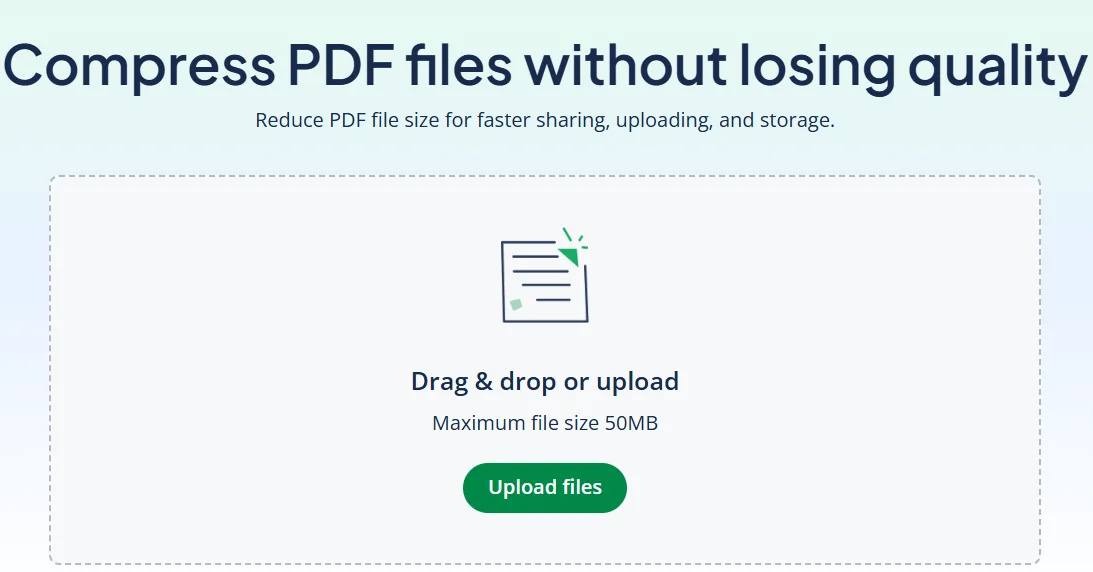
Locate the PDF you want to compress on your device and upload it to a compress PDF tool like QuillBot’s free Compress PDF.
Step 2
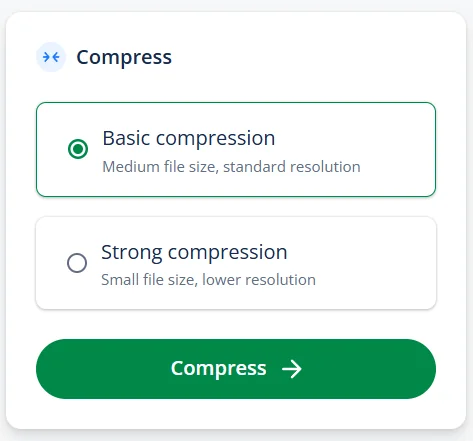
Select the compression level you want: Choose a strong compression setting if your priority is reducing the file size or a weaker setting if you need better image quality.
Step 3
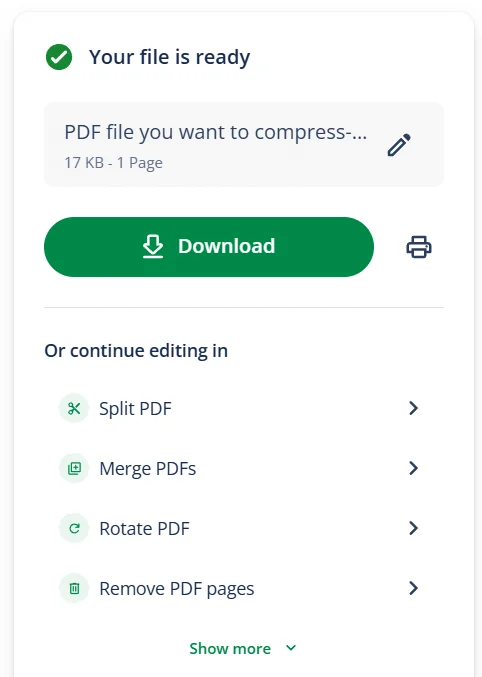
Download the compressed PDF to your device.
Using QuillBot’s free Compress PDF
Using QuillBot’s free online Compress PDF tool to reduce the file size of your PDFs is a smart choice because it:
- Works on any device with a browser, including phones and tablets
- Doesn’t add watermarks to your documents
- Gives you the choice of “strong compression” for small file sizes or “basic compression” for sharper images
- Uses smart algorithms to minimize quality loss
All you need to do is upload the PDF you want to compress to QuillBot’s Compress PDF, select “basic” or “strong” compression, and save the compressed version to your computer or mobile device.
Frequently asked questions about how to compress PDF files
- How does PDF compression work?
-
PDF compression works by:
- Re-encoding images more efficiently (and sometimes reducing their resolution or color depth)
- Removing unnecessary data like metadata and unused objects
- Embedding fonts more efficiently (often by keeping only the characters actually used)
- Optimizing how the PDF is stored (deduplicating resources and reorganizing internal objects for efficiency)
QuillBot’s Compress PDF tool is free to use and doesn’t add watermarks to your documents.
- Are there disadvantages to compressing PDF files?
-
A potential disadvantage of compressing a PDF is poor image quality. If the compression is too strong, photos, charts, or scanned pages may look blurry, and the resolution may be too low for high-quality printing.
If image quality is very important for your project, keep a copy of the original PDF until you’ve checked that the quality is good enough for your purposes.
With QuillBot’s free Compress PDF tool, you have a choice of compression strengths.
Cite this QuillBot article
We encourage the use of reliable sources in all types of writing. You can copy and paste the citation or click the "Cite this article" button to automatically add it to our free Citation Generator.
QuillBot. (2026, March 05). How to Compress PDF Files Using a Free Tool. Quillbot. Retrieved March 6, 2026, from https://quillbot.com/blog/pdf-tools/how-to-compress-pdf-files/

