
Convert Word to PDF | Free Online Tool
Word documents are used the world over for creating texts, novels, academic papers, and project proposals, to name just a few. But it’s not always the best file format to use when you want to share a document via email or download. There can be compatibility issues, and of course, others can change your text.
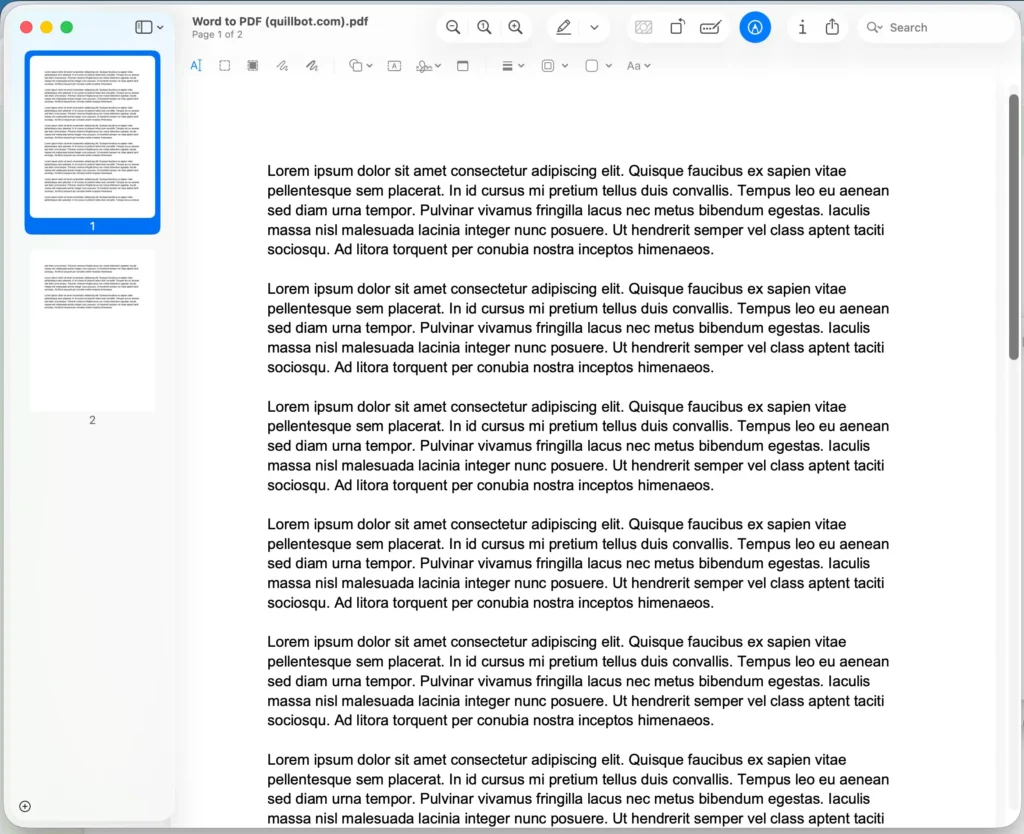
That’s where an online solution like Quillbot’s Word to PDF converter can help. It takes your Word document and converts it to a PDF while maintaining all the elements and format of your original file.
Although you can export directly from Word, using an online converter means you don’t have to have Word installed on your device to create your PDF. This is a real bonus if you are working from your phone, for instance.
Word to PDF converter
To convert your Word document to PDF, follow these simple steps:
- Make sure you’re starting with a DOC or DOCX file.
- Go to Quillbot’s free Word to PDF converter.
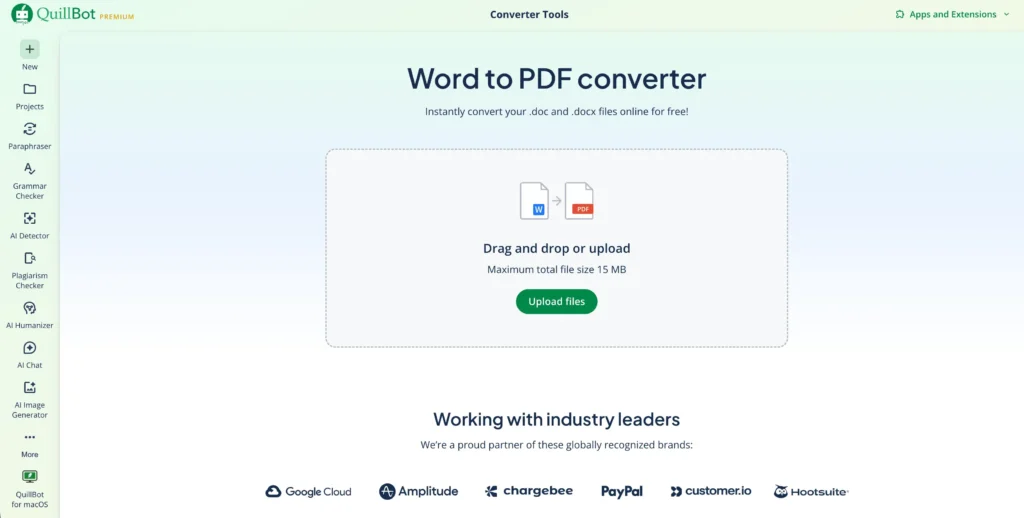
- Upload your file (click to browse or drag-and-drop).
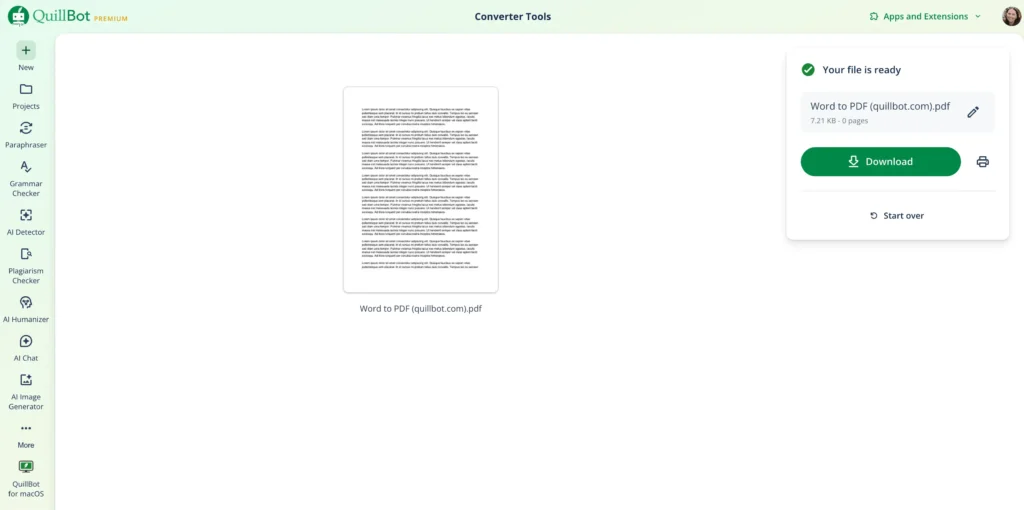
- Click “Download” to save your PDF. .You can also change the name before downloading.
That’s it! Your file is ready to download.
How to convert Word to PDF free
Quillbot’s Word to PDF converter has a simple interface, as you can see in the illustrations below.
The Word to PDF converter upload screen—simply browse to your file or drag and drop.
Quillbot’s Word to PDF converter interface
The successfully uploaded file screen
The PDF generated by the converter
Frequently asked questions about how to convert Word to PDF
- How do you convert DOCX to PDF for free?
-
To convert DOCX to PDF for free, you can use a free online DOCX to PDF converter like Quillbot’s DOCX to PDF converter.