
How to Use a Translate PDF Tool
Translate PDF tools like Quillbot’s free online PDF Translator save you the hassle of having to manually copy and paste the content of a PDF when you need to translate it into English or another language.
How to translate a PDF
Translating a PDF with a tool like Quillbot’s free online PDF Translator is easy and takes just a few seconds.
All you need to do is:
- Upload the PDF file you want to translate
- Wait a few moments for the tool to extract the text and display it in the translation interface
- Set your source and target languages—Quillbot’s translate PDF tool supports 52 languages
- Press the “Translate” button to translate the text
Quillbot’s free online PDF translator
The translation interface of Quillbot’s translate PDF tool
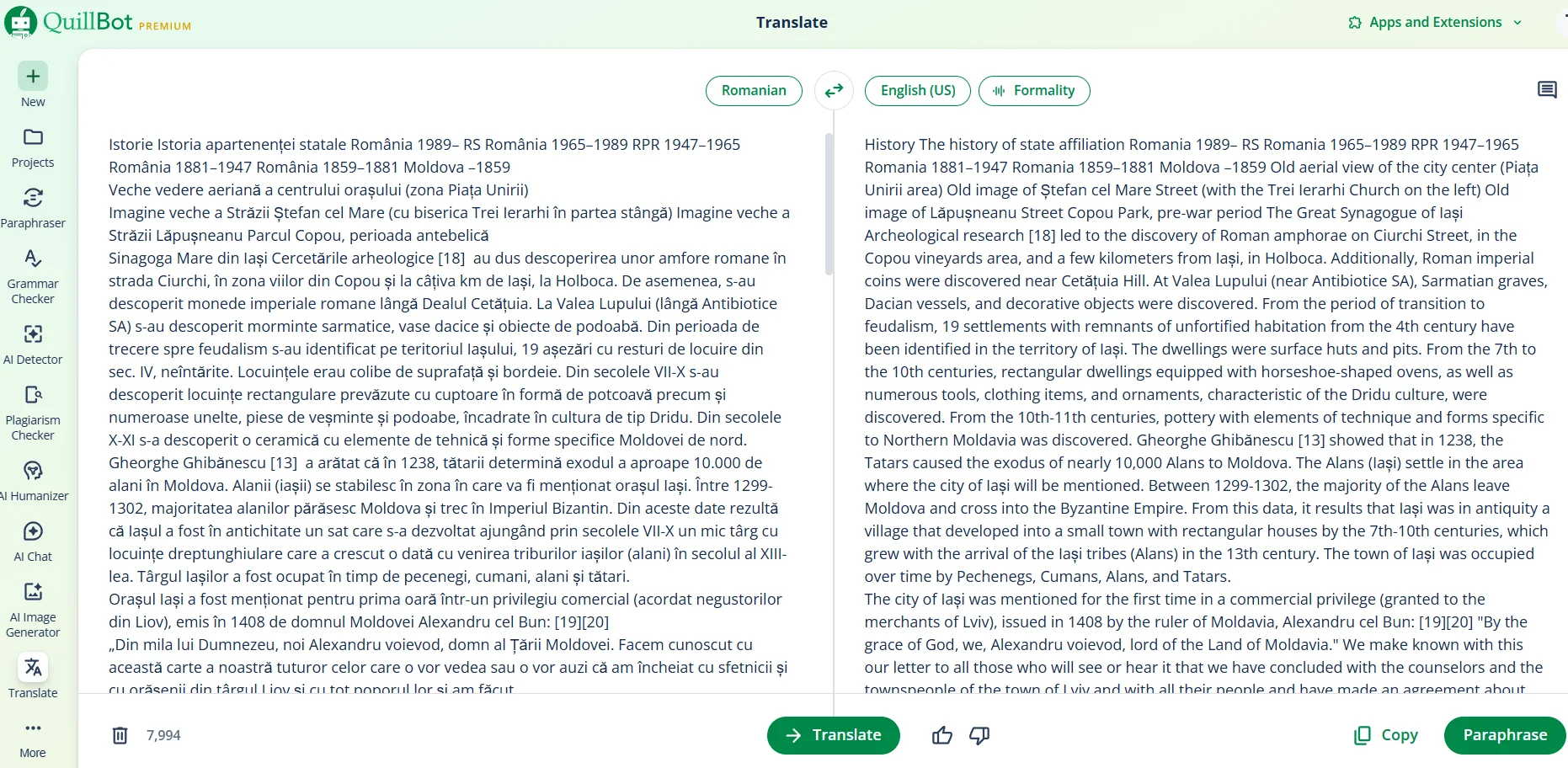
Quillbot’s free translate PDF tool uses advanced language models, processes your files securely, and works on phones and tablets.
Frequently asked questions about translate PDF tools
- How do I translate a PDF to English?
-
To translate a PDF to English, upload the PDF to a tool like Quillbot’s free online PDF Translator.
When the tool has extracted the text in the PDF and displayed it in the translation interface, select “English” as the target language and press “Translate.”
- How do I translate a PDF to Spanish?
-
To translate a PDF to Spanish, upload the PDF to a tool like Quillbot’s free online PDF Translator.
Wait for the tool to extract the text in the PDF and display it in the translation interface, then select “Spanish” as the target language and press “Translate.”