
Unlock PDF Files Using Free Online Tools
Password protection helps keep sensitive PDFs secure when you share them. But if you need to edit a password-locked PDF, entering the password every time you want to open it can slow you down.
A simple way to unlock PDF files you own and remove their passwords is to use a PDF unlock tool, such as QuillBot’s free online PDF Unlock.
How to unlock PDFs
Removing the password protection from a PDF you own because you want to save time when opening it is easy with an online PDF unlock tool.
Step 1
Locate the password-protected PDF on your device and upload it to the PDF unlock tool.
Step 2
When prompted, enter the PDF’s password so the tool can unlock the file.
Step 3
Download the unlocked PDF to your device. You can now open and edit it without re-entering the password each time.
Using QuillBot’s free PDF Unlock
Using QuillBot’s PDF Unlock tool to remove the password protection from a file you own is a smart choice because it:
- Processes your locked PDFs securely using encrypted file processing
- Doesn’t store your PDFs
- Works on any internet-connected device with a browser
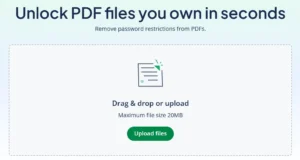
All you need to do is upload your password-protected PDF to QuillBot’s Unlock PDF, enter its password, and save the unlocked version to your computer or mobile device.
Frequently asked questions about unlock PDF tools
- How do you remove PDF password protection?
-
You can remove PDF password protection from a file you own by uploading it to a tool like QuillBot’s free online Unlock PDF.
Just upload the locked PDF, enter its password, and download the unlocked version.
- What is a PDF password remover?
-
A PDF password remover is another name for an unlock PDF tool like QuillBot’s Unlock PDF—an online tool that will remove the password protection from a PDF file you own.
All you need to do is upload the locked PDF, provide its password, and save the unlocked version to your device.
Cite this QuillBot article
We encourage the use of reliable sources in all types of writing. You can copy and paste the citation or click the "Cite this article" button to automatically add it to our free Citation Generator.
QuillBot. (2026, March 06). Unlock PDF Files Using Free Online Tools. Quillbot. Retrieved March 6, 2026, from https://quillbot.com/blog/pdf-tools/how-to-unlock-pdf-files/

