
YouTube Thumbnail Generator | Why AI Thumbnails Boost Clicks
YouTube thumbnails aren’t just tiny pictures. They’re click magnets. The right thumbnail can make a difference between a video that goes viral and one that gets lost in the feed. Videos with custom thumbnails consistently achieve higher click-through rates (CTR) than auto-generated video stills, which don’t always convey the video’s story.
But not everyone is a professional designer. How can you create thumbnails that stand out, drive clicks, and maintain consistent brand identity without design skills? That’s where an AI thumbnail generator comes in. QuillBot’s YouTube thumbnail maker combines design expertise and psychology to produce high-performing thumbnails, and it’s completely free to use.
Keep reading to discover what you can achieve with a YouTube thumbnail generator and why AI-generated thumbnails get more clicks.
Example from QuillBot’s YouTube thumbnail maker
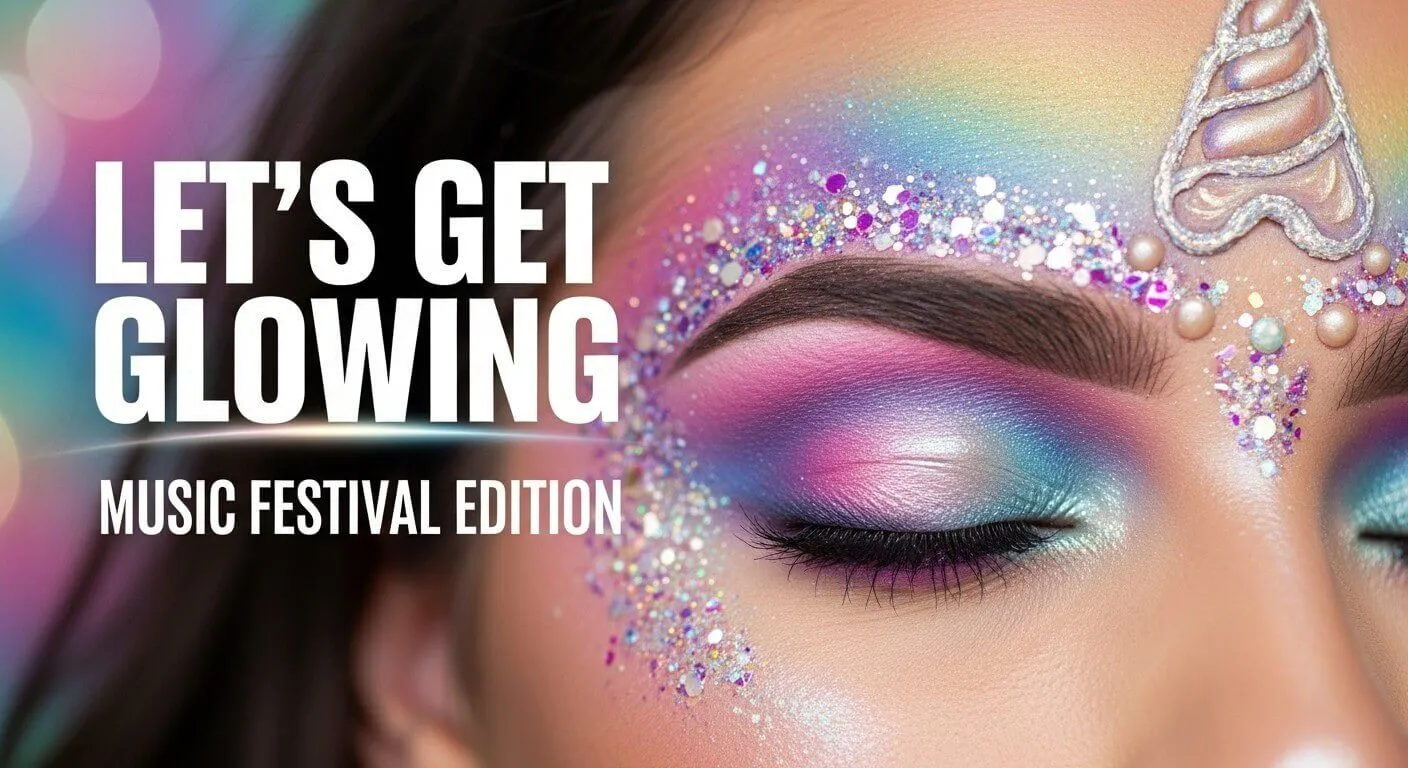
YouTube thumbnail best practices
The most viral thumbnails don’t just capture a random frame. They instantly spark curiosity, communicate what your video is about, and entice viewers to click. In contrast, a thumbnail made from a freeze frame of your video (aka a video still) doesn’t stand out in a list of search results or suggested content. In order to attract more clicks, follow these YouTube thumbnail best practices:
- Use bright, high-contrast colors: Bold, contrasting color combinations immediately draw the eye in a crowded YouTube feed. For example, pairing a bright yellow with a dark blue background makes your thumbnail pop even on small mobile screens.
- If relevant, include an expressive, close-up face of the narrator or target audience: Human faces with clear expressions (surprise, excitement, curiosity) create an emotional connection with viewers and trigger clicks. Close-ups amplify this effect, helping viewers instantly relate to your content.
- Keep text minimal and bold (3–5 words): Short, readable phrases summarize the video’s message quickly. Use bold fonts with strong contrast against the background so viewers can read it at a glance, especially on mobile.
- Make one clear focal point: Avoid clutter by focusing on a single subject or action. Too many elements compete for attention and reduce CTR. Examples might include one person, one object, or a simple transformation (before/after).
- Use high-resolution, sharp images: Pixelated or blurry thumbnails look unprofessional and reduce trust. Sharp visuals signal quality and encourage viewers to click.
What you can achieve with an AI thumbnail generator
A thumbnail generator allows creators to produce professional-quality, clickable thumbnails without any design experience. With QuillBot’s YouTube thumbnail generator, you can:
- Prompt the tool to include a specific background, title, or image.
- Ask the tool to use reader-friendly fonts that stand out in feeds.
- Choose from several artistic styles, such as anime, fantasy, or photorealism.
- Generate multiple thumbnails for the same video to choose the one you like best.
- Revise your prompt to improve the original output or add more visual elements.
- Brainstorm ideas for a thumbnail template that you can adapt for different episodes.
- Save time and resources compared to manual design or hiring a professional.
AI tools bridge the gap between designer-level visuals and everyday creators, making it easier to implement psychology-based thumbnail strategies.
Why AI-generated thumbnails get more clicks
AI-generated thumbnails get more clicks because their designs are based on human psychology. Every element, from color and composition to text placement, is optimized to grab attention and evoke an emotional response. Here are some of the key psychological strategies that make AI-generated thumbnails perform so well.
Color psychology drives attention
Bright, high-contrast colors draw the eye and stand out against YouTube’s interface. Human brains are wired to notice vibrant, contrasting visuals first, giving your video an edge in crowded feeds. AI generators can automatically suggest color palettes proven to increase CTR, reducing guesswork and helping you consistently create visually striking thumbnails.
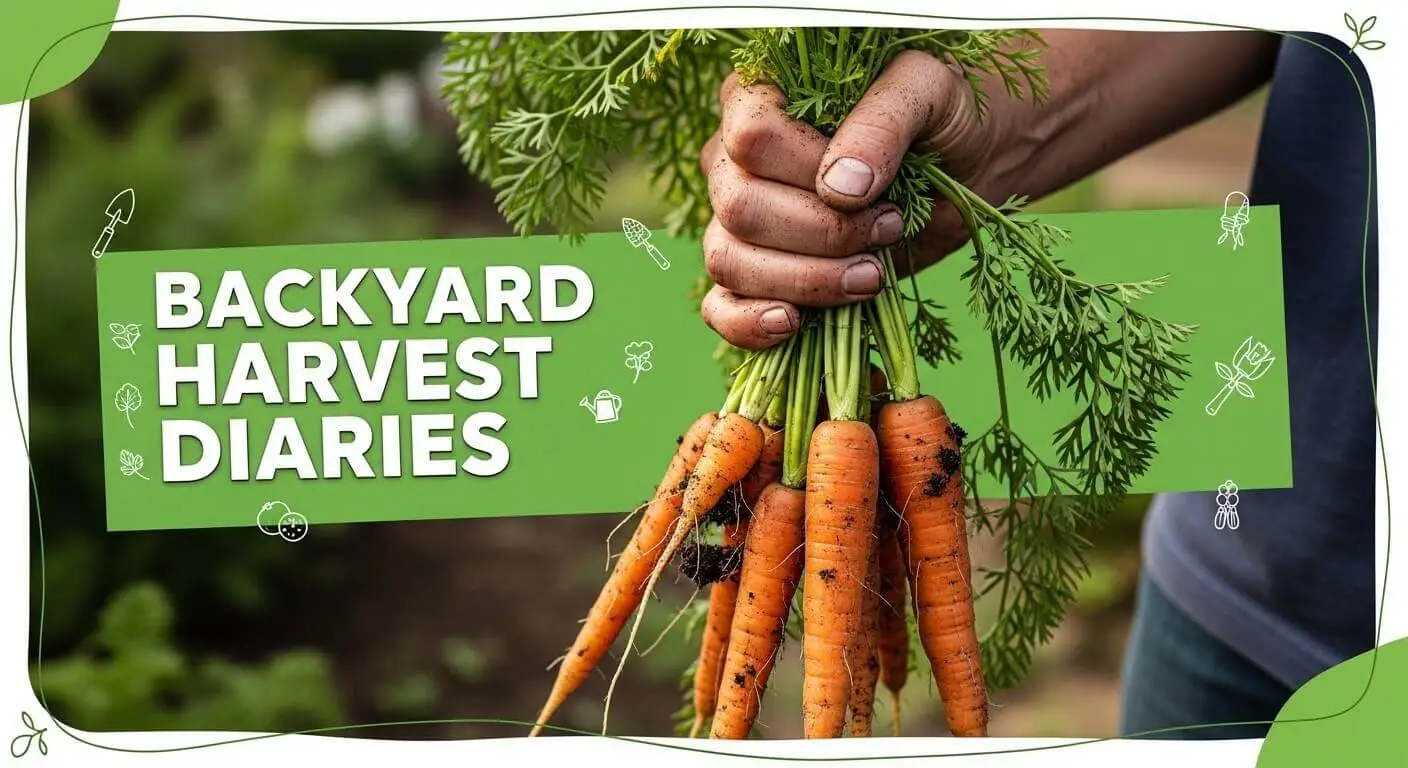
For example, a travel channel could use golden sunsets against deep blue skies, while a gaming video could use neon highlights. A thumbnail for a backyard gardening series could contrast a soft-focus, earth-toned background image with an image of bright orange carrots.
Example from QuillBot’s YouTube thumbnail generator
Emotional faces increase clicks
Faces showing strong emotions—shock, joy, curiosity—activate psychological triggers that compel viewers to click. AI tools can detect or enhance facial expressions, ensuring your thumbnails evoke the right emotional response. Close-up faces also create a personal connection, making viewers feel directly engaged.
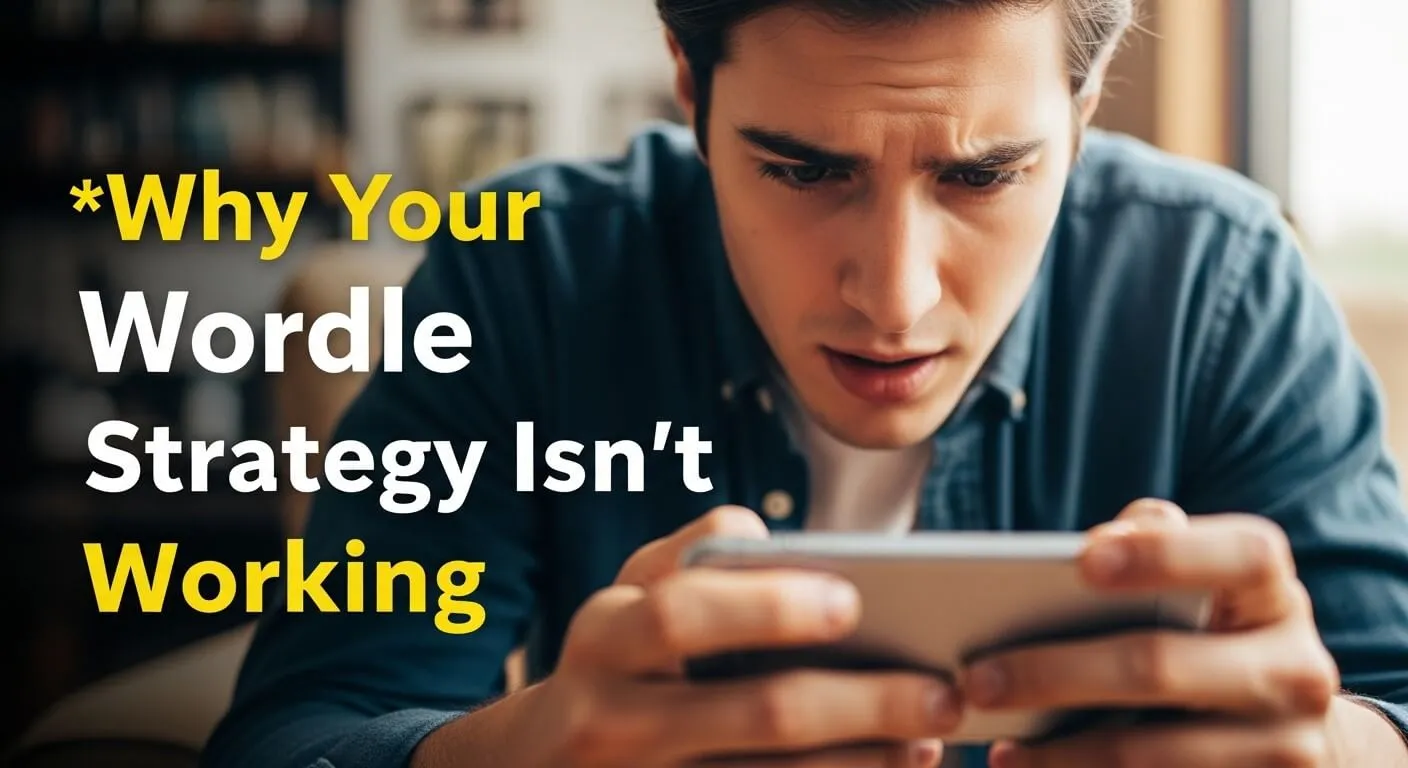
For example, a reaction video might show a creator with wide eyes and a surprised expression, hinting at something unexpected happening in the video.
Example from QuillBot’s YouTube thumbnail generator
Minimal, readable text boosts comprehension
Text should complement, not overwhelm, the thumbnail. Short, bold text (3–5 words) is ideal, especially on mobile. AI tools can display attention-grabbing headlines that summarize your video succinctly and place them in readable positions. This ensures viewers instantly understand the content without confusion.
For example, a thumbnail for a productivity tutorial could include “Boost Your Focus Fast” in large, bold letters over a simple background.
Curiosity gap increases click-through
YouTube thumbnails should hint at a story or raise a question without spelling everything out. Marketing experts call this the curiosity gap. It’s the psychological space between what someone knows and what they want to know. When viewers sense that gap, they feel compelled to click your thumbnail in order to close it.
The key to tapping into your audience’s curiosity gap is balance. If you reveal too much, there’s no reason to click. If you reveal too little, the viewer feels confused or misled. Strong thumbnails give just enough information to promise value while holding back the full explanation.
Consistency and branding build recognition
Repeated visual elements, such as colors and fonts, help viewers recognize your content at a glance, building trust and familiarity. You can prompt AI to apply your brand style across thumbnails, ensuring a cohesive channel identity without manual effort.
For example, a cooking channel might always place the title in a bold white font over a red banner in the corner, creating instant recognition.
- Upload your thumbnail and request specific changes to the colors, images, or text.
- Upload an image file of your logo and ask the AI to add it to your thumbnail.
- Upload a photograph of yourself with a relevant facial expression, and tell the AI where to place it on your thumbnail.
Frequently asked questions about why AI-generated thumbnails get more clicks
- What are the best fonts for YouTube thumbnails?
-
The best fonts for YouTube thumbnails are sans serif, bold typefaces that stand out in feeds and search results, such as:
- Impact
- Montserrat Extra Bold
- Roboto Bold
- Poppins Bold
- Bebas Neue
You can also experiment with outlines or shadows for contrast. If you’re using an AI thumbnail generator (like QuillBot’s YouTube thumbnail maker), include details about the font you want to use for your title or other text.
- What are the dimensions of a YouTube thumbnail?
-
The recommended dimensions for a YouTube thumbnail are 1280 x 720 pixels with a 16:9 aspect ratio. The minimum width is 640 pixels. Use high-resolution images in JPG, PNG, or GIF format, and keep the file size under 2 MB for best results.
You can quickly and easily make a 16:9 YouTube thumbnail with QuillBot’s free thumbnail maker.
Cite this QuillBot article
We encourage the use of reliable sources in all types of writing. You can copy and paste the citation or click the "Cite this article" button to automatically add it to our free Citation Generator.
QuillBot. (2026, February 18). YouTube Thumbnail Generator | Why AI Thumbnails Boost Clicks. Quillbot. Retrieved February 19, 2026, from https://quillbot.com/blog/image-tools/ai-thumbnails-get-more-clicks/

