
Using an AI Banner Generator | Custom Design in Seconds
Whether you’re an aspiring content creator or a professional polishing your LinkedIn page, first impressions are everything. And when someone’s viewing your profile, your banner image is often the first thing they’ll notice.
Lucky for you, customized banners, which used to require hours of design or a hefty freelance fee, are just a click away with tools like QuillBot’s free AI Banner Generator. This article will walk you through best practices for creating high-quality, professional images to use for your banner across any platform, with zero design skills or expensive software required.
Best practices for banner design
Even if you’re leveraging design tools, there are some fundamentals to keep in mind as you build your banner—you are, after all, the creative lead! Careful consideration of the following will help you build effective prompts and maximize the collaborative nature of generative AI.
Consider your purpose and message
Whether you’re a job-seeking professional or content creator in search of subscribers, your profile page is where you set the stage for audience engagement. What do you want someone to know or do after they see your banner?
Keep your main objective in mind as you design a banner, and share this information for helpful context in your prompt! Some examples are included below:
- I’m a data scientist promoting a free guide to data visualization to get more followers.
- I’m a YouTuber looking to get more views of my healthy, affordable meal prep videos.
- I run a Discord server and am looking to welcome new community members.
Know your platform dimensions
Banner size will vary depending on the platform and device. As you’re designing your banner, be sure to double-check what the recommendations are. Most design tools will let you specify the dimensions of your banner.
Regardless of which platform you’re using, it’s always important to test out your banner to make sure it looks how you want it to (on desktop and mobile devices!).
Incorporate brand identifiers
Simplicity is paramount to effective banner design—you don’t want to distract your audience with overly noisy or crowded visuals. Less truly is more, and every component of your banner should be intentional. Carefully consider your brand identity, and intentionally use elements that are in line with it.
Add a call to action
Because so many eyes will land on your banner, it’s a great opportunity to let everyone know how you want them to engage. Including a simple call to action lets people know exactly what steps to take. Simplicity is once again key. For an influencer, it could be “Subscribe.” For a marketer, it could be “Shop The Sale.”
How to use an AI banner generator
Ready to see how fast and easy banner design can be? Let’s walk through using QuillBot’s AI Banner Generator to create a professional banner in minutes.
The landing page of QuillBot’s tool is where you’ll define your vision. Enter a prompt (with as much detail as possible!) and select your desired style and aspect ratio to start creating.
QuillBot banner generator interface
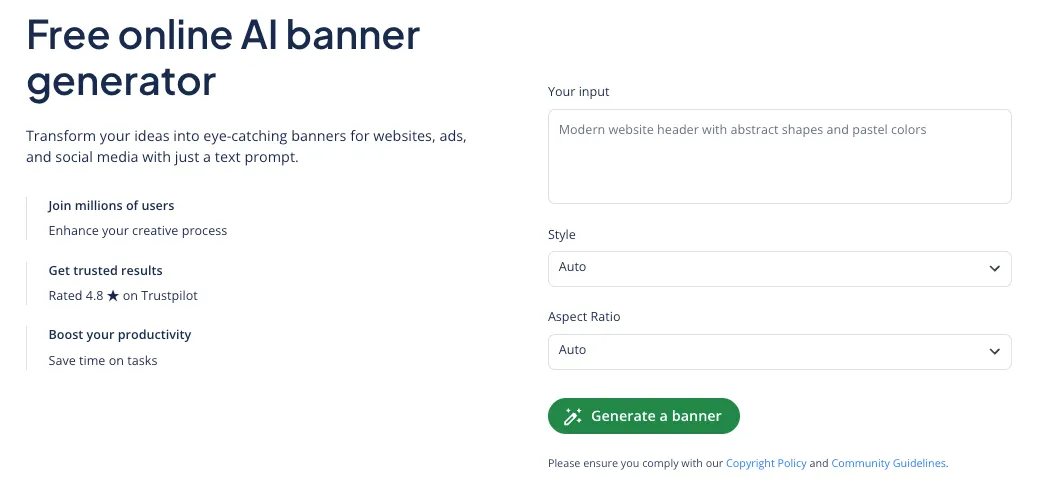
Once you’ve entered your prompt, you’ll be presented with different options. If you’re happy with the results, you can download your top choice immediately. However, iterative improvement is often necessary with AI-generated images. You can make slight adjustments to your prompt (e.g., “add more subtle geometric elements”) to get an output that exactly matches your vision.
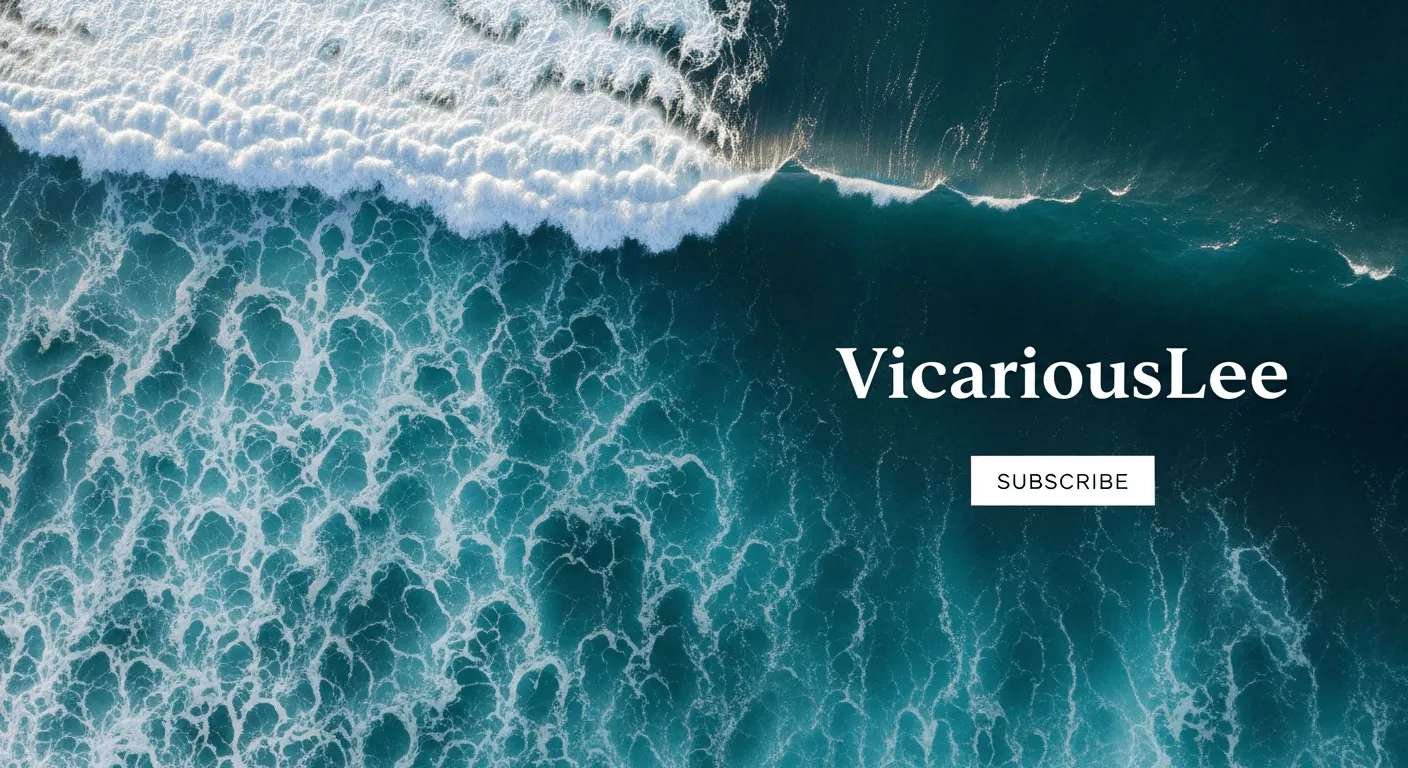
The banner shown below was generated using the following prompt: “A seamless, abstract minimalist background showing ocean waves pictured from above. No borders, full bleed, professional corporate style. Include the text ‘VicariousLee’ in an all-white modern font on the right and in smaller text below, ‘subscribe.’”
QuillBot banner output
Frequently asked questions about AI banner generators
Cite this QuillBot article
We encourage the use of reliable sources in all types of writing. You can copy and paste the citation or click the "Cite this article" button to automatically add it to our free Citation Generator.
QuillBot. (2026, March 12). Using an AI Banner Generator | Custom Design in Seconds. Quillbot. Retrieved March 13, 2026, from https://quillbot.com/blog/image-tools/using-an-ai-banner-generator/

