Masahiro Mori was a Japanese roboticist and engineering professor. He is perhaps best known for first proposing the uncanny valley effect in 1970.
Mori proposed that people react more positively to robots as they become more humanlike, but that this response turns negative when robots appear nearly human without exactly copying human appearance and behavior.
His theory has since been applied to other areas, like CGI characters and AI-generated content.
If you want to learn more about Masahiro Mori or the uncanny valley, ask Quillbot’s AI Chat.
An uncanny face is a face that looks nearly real but also provokes an unsettling, eerie, or strange feeling in viewers. This reaction is called the uncanny valley effect.
This effect may happen because the human brain has difficulty categorizing a face that looks almost human but not quite. This can cause cognitive dissonance, which makes people feel uncomfortable.
You can use Quillbot’s AI Image Generator to test out the uncanny valley effect by yourself by creating images of faces with varying levels of realism and seeing how you feel while looking at each.
The meaning of the adjective “uncanny” is “strange, mysterious, unnatural, or difficult to explain.” A few synonyms for “uncanny” are “weird,” “eerie,” and “inexplicable.”
“Uncanny” may be used to discuss something that’s strangely familiar (e.g., two people having an uncanny resemblance), unexplainable (e.g., someone having an uncanny talent), or frightening (e.g., an uncanny figure).
For example, the uncanny valley is a proposed psychological phenomenon in which people feel unsettled or uneasy when viewing something that looks almost human but isn’t really.
Quillbot’s Grammar Checker can make sure you use words correctly in context.
Yes, image metadata can be altered. You can add, edit, and remove image metadata.
Some operating systems like Windows allow you to edit the most common image metadata fields. But you’ll be able to view and edit a wider range of image metadata fields using a dedicated app like ExifTool.
To learn more about image metadata, ask Quillbot’s AI Chat.
EXIF metadata sometimes provides clues that an image was AI-generated, such as information about the software used to create it. AI image detectors, such as Quillbot’s AI Image Detector, go further by looking for visual patterns associated with AI-generated images.
If you search for image compression tools online, you’re bound to find different options to suit your needs, such as Quillbot’s Compress JPG tool. It’s as easy as following these three steps:
Upload your image.
Compress the image to your desired specifications.
With AI image editing software like Quillbot’s online AI Image Editor, you can handle many common editing tasks, such as removing objects, changing backgrounds, adjusting lighting and colors, retouching photos, and adding or replacing elements.
There are a few ways to reverse image search on iPhone.
You can use the “Visual Look Up” feature in apps such as Photos and Safari to identify objects, landmarks, plants, animals, and other things in an image. Open the image in full screen, then tap the circular icon with stars that appears when the feature recognizes something. The icon changes depending on the content of the image.
The latest iPhones have visual intelligence functionality. This lets you point your camera at something and search for information about it on Google. You can access it by pressing and holding the Camera Control button.
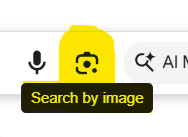
If you don’t have visual intelligence, you can do a reverse image search by downloading the Google app (not Google Chrome). Open the app and tap the Google Lens icon in the search bar. From there, you can take a photo with your camera or select an existing image from your phone and search for information about it.
You can use Quillbot’s AI Image Detector to check whether an image is likely to have been AI-generated.
Yes, you can use your smartphone for product photography, as they are equipped with quality cameras that contain advanced sensors and high megapixel counts.
It is, however, recommended that you use a tripod, use a simple backdrop, and adjust your lighting and camera settings for the best results.