
How can I change the colors in a thank you card template?
To change the color of an element in a thank you card template, try clicking on it to see if color options appear.
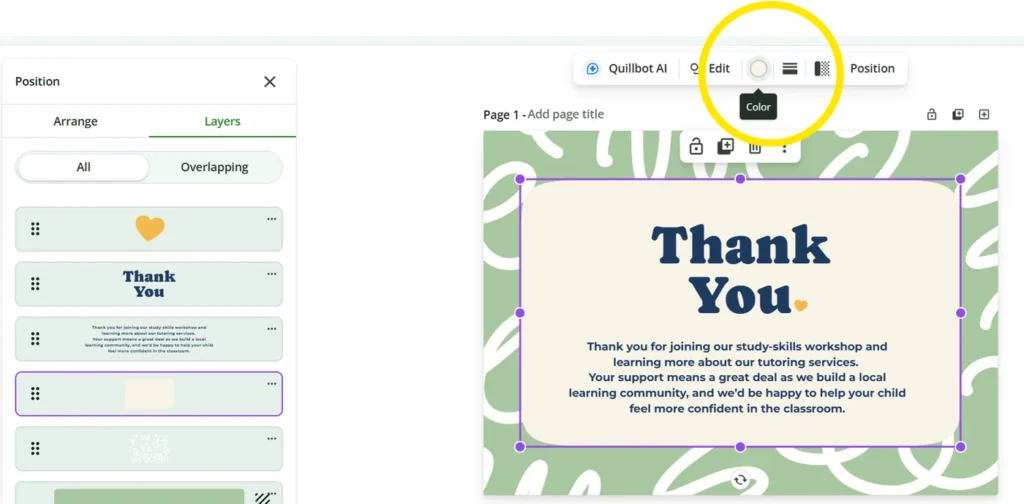
In Quillbot’s free online card templates, you can view all the elements in a design by clicking “Position,” which brings up the layer view. To change the color of an element, all you need to do is click on the element in the layer view and use the color options that appear in the menu above the design.
Related article: Free Online Thank You Card Templates | How to Guide
From consultants and tutors to event planners, real estate agents, and market sellers, business builders need a range of promotional cards to help them connect with clients and customers in their local communities. Read on to find out how you can use thank you card templates in an online tool like Quillbot’s free card templates […]
Read more