Portfolio Presentation | How to Create & Templates
A portfolio presentation serves as a powerful representation of your professional achievements, skills, personality, and style. Whether you’re a digital creator, a writer, or a freelancer in another field, you want to be ready when opportunity strikes. Having a visually compelling, organized, up-to-date portfolio presentation helps you do just that.
This guide explains why portfolio presentations are important, who needs one, and how to overcome the typical challenges people face when creating one by using Quillbot, which allows you to brainstorm, design, write, and edit—with or without help from AI—all in one place.
Why portfolio presentations are important
A portfolio presentation is a structured way to show your best work and highlight your achievements when getting a new job, acquiring a client, or pursuing another opportunity. A strong portfolio presentation helps you by:
- Curating your best work: Your portfolio presentation shows your strongest work to demonstrate your skills and versatility. Plus, unlike in a resume, a portfolio lets you show how you work and approach problems.
- Telling your professional story: Your portfolio presentation also lets you tell your professional story. Through thoughtful curation and strategic positioning, you can guide your audience through your journey, growth, and unique approach.
- Creating a lasting impression: In saturated fields, it’s difficult to stand out. A well-curated and well-designed portfolio presentation helps people remember you, which increases your chances of getting what you want.
- Demonstrating your impact: A portfolio presentation also lets you highlight the impact your work has had. By explaining how you solved problems and what results your work garnered, you demonstrate your competence and impact.
- Opening doors to new opportunities: The combination of your best work, methods, and story in one accessible, shareable document helps the audience understand who you are, make decisions, and recommend you to others, leading to new opportunities you may have otherwise missed out on.
Who needs a portfolio presentation
People hear the word “portfolio” and typically envision professionals working in visual industries, like designers or artists. But solopreneurs of all types can benefit from a portfolio presentation. It’s an effective and accessible way to demonstrate your skills, achievements, and personality.
| Who | Goals | How a portfolio presentation helps |
|---|---|---|
| Content creators | Build credibility, attract brand partnerships, and grow an audience | Highlights successful campaigns, social media stats, and the strategy behind content production |
| Architects | Present project experience, show architectural style, and secure commissions or firm positions | Demonstrates design concepts, technical planning, and how projects meet client and environmental needs |
| Interior designers | Attract clients and communicate design style and process | Shows before-and-after transformations, material choices, and how spaces meet functional and aesthetic goals |
| Writers | Demonstrate writing expertise and secure freelance or editorial work | Highlights published work, explains project goals, and shows versatility across formats or industries |
| Tutors and coaches | Document personality, effectiveness, creativity, and professional development | Present examples of customized learning plans, teaching strategies, student outcomes, and evidence of learning impact |
| Consultants | Build trust with potential clients and demonstrate expertise | Shows case studies, explains problem-solving approaches, and highlights measurable results |
| Job seekers | Speed up your job search and find a role that’s the right fit | Offers tangible, visual results in addition to achievements mentioned on their resumes |
| Small agency owners | Hook new clients by showing off past and existing ones and the problems the agency has solved for them | Gives potential clients an idea of how the agency works, their style, and what types of clients they typically handle |
Below, you’ll find a closer look at several of these use cases and how Quillbot can help you create a professional portfolio presentation.
Content creators
The main way content creators get paid is through collaborations with brands, who pay creators to promote their products or services. When deciding which creator to work with, brands typically look for content creators whose audience demographics, engagement rates, and brand voice align with their marketing goals.
A portfolio presentation helps content creators organize this information into a clear narrative. Instead of sending scattered links or screenshots, you can present a concise overview of your work, including campaign highlights, audience statistics, brand partnerships, and examples of high-performing posts.
With Quillbot, you can build a tailored portfolio presentation without starting from scratch. By describing your profile, niche, and goals, they can generate a structured draft that includes both content and layout, giving you a strong starting point in minutes. This allows you to focus on selecting your best work and presenting it strategically.
Writers
Writers need to demonstrate both the quality and the range of their writing in order to secure more work. But freelance writers may work across multiple industries and formats (e.g., blog posts, white papers, and newsletters), and their work usually lives on many platforms (e.g., blogs, client websites, or gated documents).
A portfolio presentation helps you present your diverse experience in a clear, cohesive way. You can curate your strongest pieces, explain the context and process behind them, and highlight outcomes, such as increased traffic, engagement, or conversions.
Quillbot helps you quickly turn scattered samples into a structured, polished portfolio. You can refine descriptions, edit excerpts, and organize content into professional slides or documents—all in one place.
Tutors and coaches
Tutors and coaches often need to demonstrate their expertise, teaching approach, and results when attracting new clients or building their personal brand.
A portfolio presentation gives you a structured way to showcase your work. It can include lesson examples, program outlines, client success stories, testimonials, and before-and-after results. This helps potential clients understand how you teach, what you offer, and the outcomes they can expect.
However, putting this together can be time-consuming, especially when you are managing sessions, client communication, and business tasks. Quillbot streamlines the process by organizing content into a clear, professional layout and assisting with drafting, refining, and editing so you can create a polished portfolio more efficiently.
Challenges when creating a portfolio presentation
While pre-internet portfolios were subject to limitations, a digital portfolio presentation can be as creative or as interactive as you like. What’s more, with artificial intelligence working beside you, it’s easier than ever to brainstorm, write catchy copy, and find the best design.
That said, many freelancers and creators quickly run into practical challenges. Without a clear process or the right tools, the task can feel more complicated than expected.
Knowing where to start
Despite knowing what you need to include, it can be overwhelming when you first sit down to create your portfolio presentation. You might hesitate, not knowing whether you should start with choosing the template, writing the copy, or preparing the multimedia.
That’s where this guide comes in. It gives you a clear structure to follow, so you can spend less time second-guessing and more time building your portfolio. Quillbot also helps you get started faster by generating a structured draft from your prompt, so you’re not stuck wondering what to do first.
Managing multiple tools and workflows
With so many software options available these days, you may be using several tools at once. But constantly switching between tools can interrupt your workflow and make your portfolio creation process feel fragmented. It’s much better to work with a one-stop solution—like Quillbot—so you can focus on presenting your work effectively instead of juggling tabs and programs.
Handling both design and writing
You may feel like you need to be a professional designer and writer to create high-quality text and visuals, and this anxiety may stop you from actually creating your portfolio presentation. But with contextual output based on user prompts as well as built-in AI and manual editing, you can craft a presentation with clear, persuasive text and polished visuals, regardless of your professional background.
Depending on the jobs you’re applying for or the clients you’re trying to attract, you may also need to create different versions of your portfolio presentation. For example, someone working as both a writer and a writing tutor will probably have different portfolio presentations for each function. This usually means hours lost to formatting and layout decisions that have nothing to do with the content itself. Quillbot makes it easy to adapt your portfolio presentation for different goals.
Budget and feature limitations
Free presentation tools probably don’t have all the features needed to create professional-looking portfolio presentations. Professional design platforms offer more advanced features, but they often require expensive paid subscriptions. And if you’re subscribing to various tools, costs add up quickly, especially for freelancers. Finding a tool that incorporates all the features you need and has budget-friendly pricing lets you keep costs down while maximizing output.
Relying too heavily on generative AI
Generative AI in the workplace is here to stay, whether it’s taking over repetitive tasks, drafting website content, or helping customers answer questions. Generative AI can definitely help you create your portfolio presentation, but remember that ultimately, you make the final decision. Always review AI-generated content to make sure it feels right for your goal, tone, and personality. Think of it as a freelance writer/designer whose work you edit.
How Quillbot helps
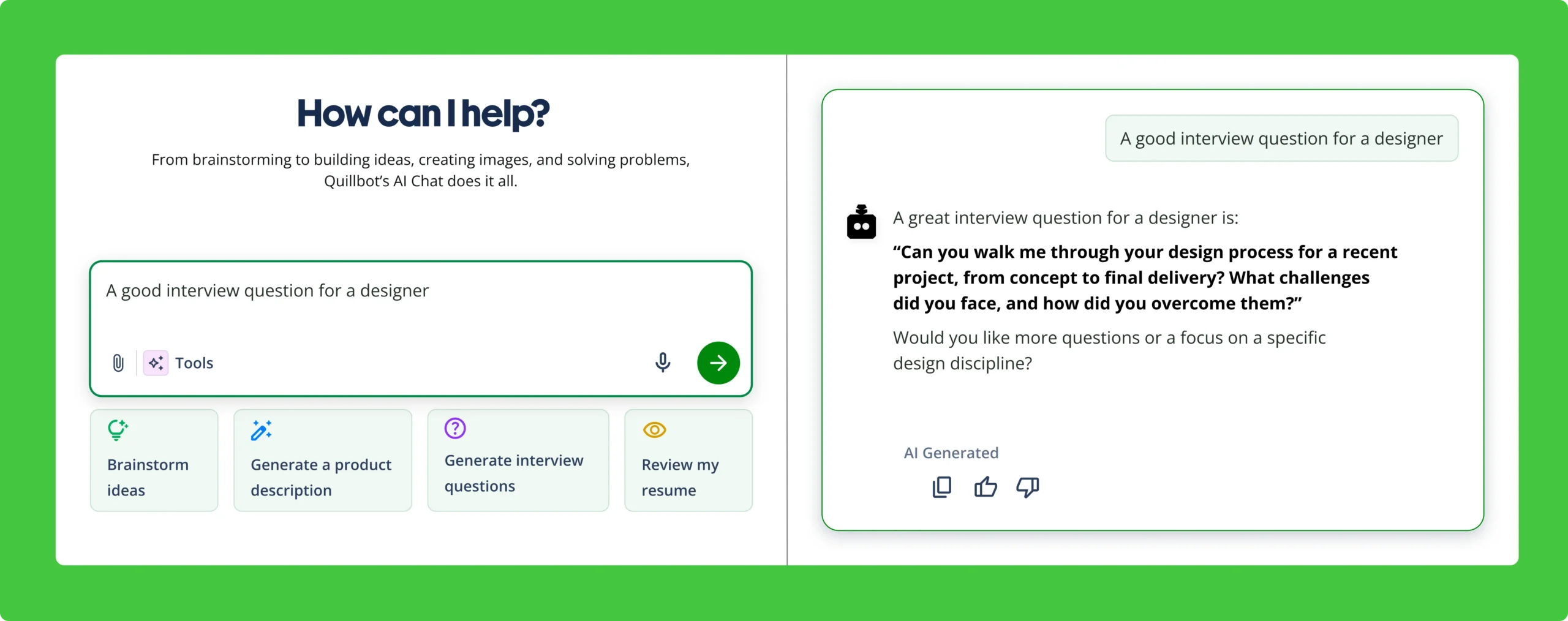
Quillbot brings various features together in a single workspace, helping you move from idea to finished presentation without switching between platforms. Instead of starting from a blank slide, you can write a prompt describing your role, experience, and what you want to include in your portfolio presentation, and Quillbot will generate a structured, fully designed draft built around your input.
From there, you can refine and customize your presentation directly in the same interface. Quillbot allows you to edit content manually or use AI commands to adjust tone, improve clarity, or expand sections. You can generate visuals, remove image backgrounds, and adjust layouts without leaving the canvas. And because your document state and edits are preserved, it’s easy to step away and return later without losing progress or needing to start over.
In practice, this means:
- Your portfolio is generated from your specific context, not a generic template.
- You can iterate freely, refining both text and visuals without losing previous work.
- You can stay in a single workflow, rather than juggling multiple tools for writing, editing, and design.
- One tool has the big picture of your goal and content, instead of various tools operating in isolation with siloed contexts—writing tools that only understand your text and design tools that only handle your layout.
- Your content and design are developed together as a complete picture, instead of across separate tools that only handle (and understand) part of the process.
How to create a portfolio presentation using Quillbot
With Quillbot, you can create your own portfolio presentation, using one platform from beginning to end, from ideation to editing. The workflow below outlines how to do this, with a clear goal for each stage.
1. Curate your best work
Your portfolio presentation should present your strongest relevant work in a clear, narrative way that shows your skills and value. Instead of including everything you’ve done, focus on a few examples that highlight different strengths, industries, or types of work. This helps demonstrate both expertise and versatility.
Collect your media assets, which—depending on your job, field, and what you want to show—may include screenshots, scans, images, or PDFs of published work. Next, draft notes about each piece of work you plan to include. Some good frameworks for this are:
- Challenge → Solution → Result: Describe the problem you faced, the approach you took, and the measurable outcome or impact of your work.
- Context → Role → Outcome: Provide background on the project, your specific responsibilities, and the results you achieved.
- Before → Action → After: Show the starting point, the steps you implemented, and the improvement or success that followed.
Don’t worry about phrasing, tone, and grammar; Quillbot will handle that for you. For now, just jot down the ideas that you want to include in your portfolio presentation.
Your goal at this stage: Select your best work and write notes about why it’s good.
2. Prompt Quillbot
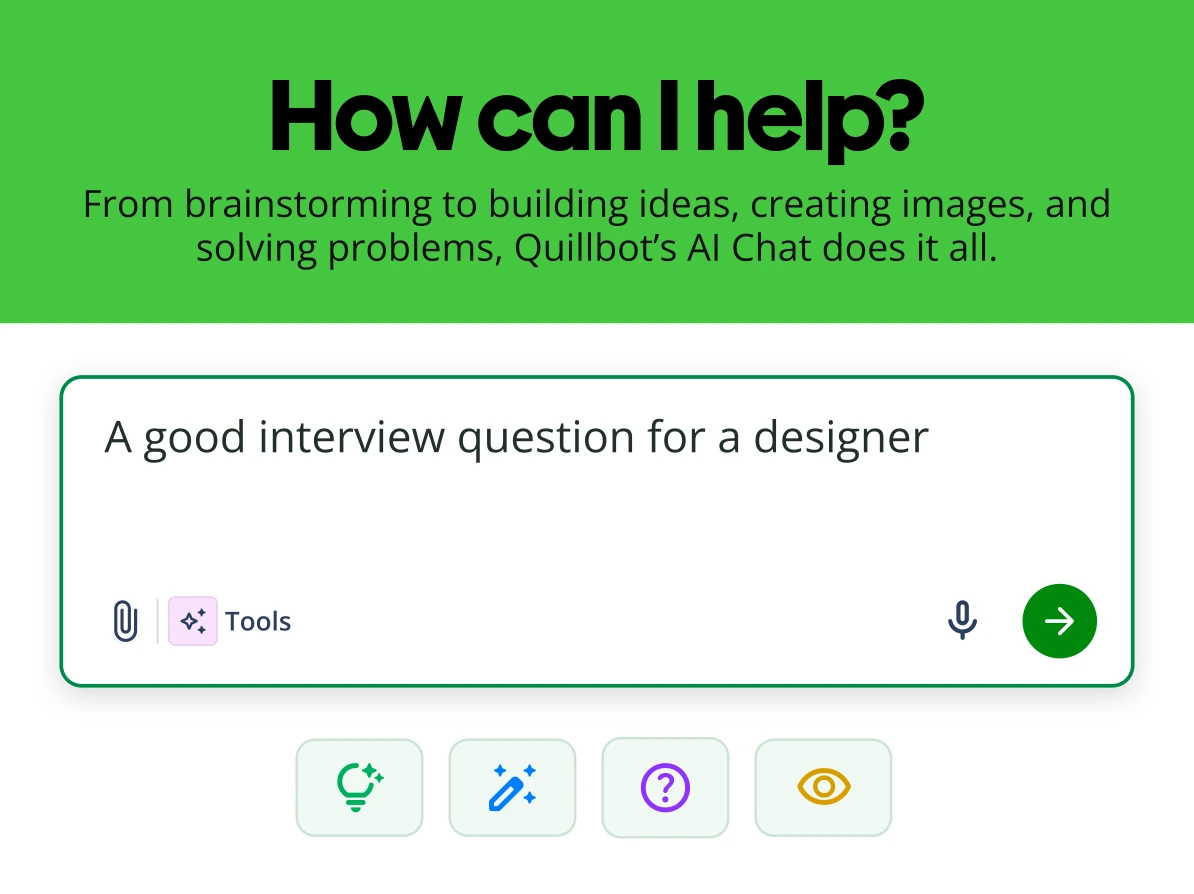
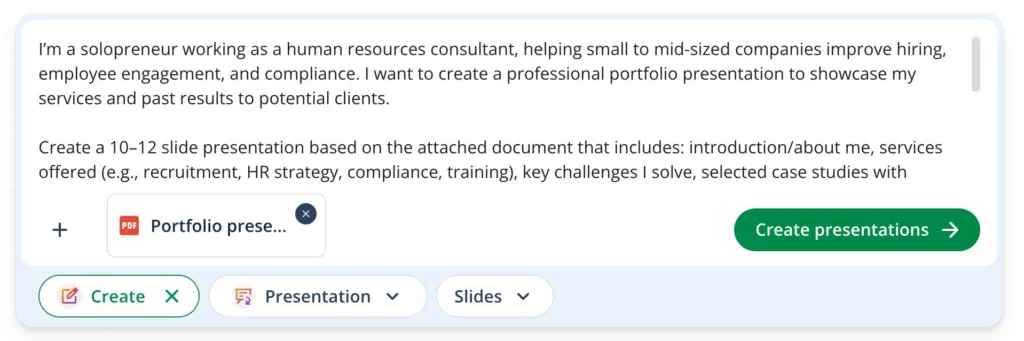
Once you’ve selected your best work and drafted notes, it’s time to turn them into a structured portfolio presentation. Based on your AI prompt, Quillbot will generate a fully designed draft presentation. You can also upload supporting PDFs and images (like those notes you drafted) to give additional context.
Write a contextual prompt for Quillbot describing:
- Who you are (your role or profession)
- The types of projects or work you want to include
- The goal of the portfolio (pitching clients, applying for jobs, etc.)
- Any specific layout or style preferences (number of slides, headings, tone, visuals)
- If you have attached PDFs or images as additional context
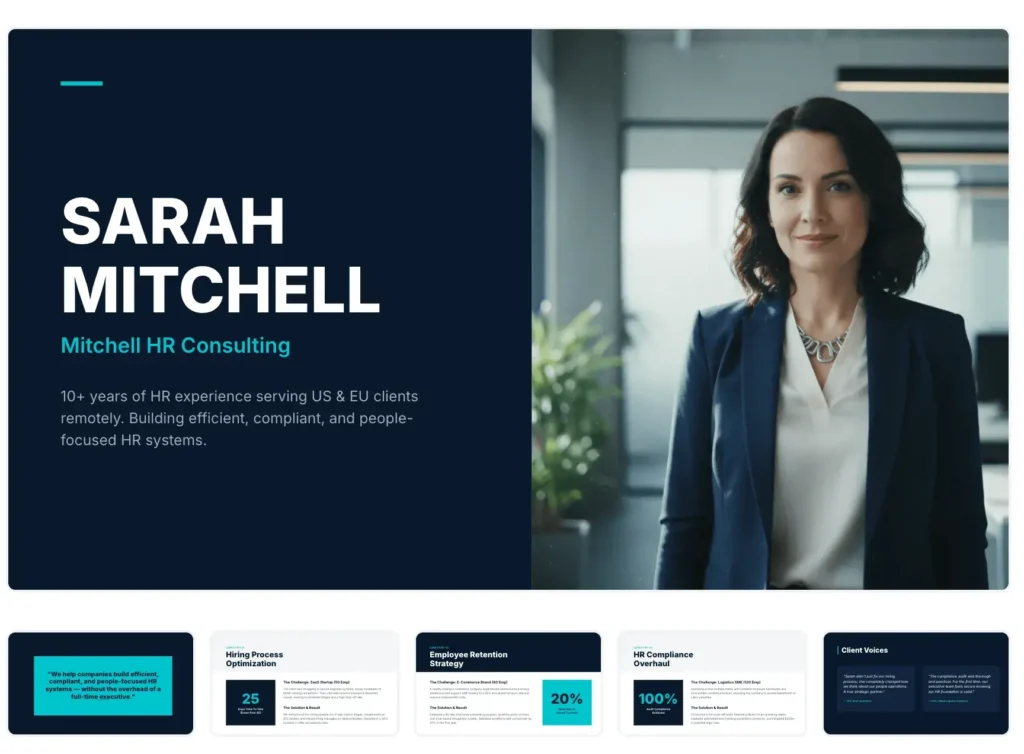
The generated draft includes slide structure, content blocks, and a visually appealing layout tailored to your projects, all of which you can tweak and refine as you see fit.
Your goal at this stage: Write a prompt, including contextual information, that describes your portfolio presentation and use Quillbot to generate a draft.
“I am a [role/profession] creating a portfolio presentation to [goal]. I want to include [types of projects/work] and highlight [key outcomes, skills, or metrics]. Generate a clear, professional presentation with [sections/slide types] and a [tone/style] that matches my work. Use the attached materials for context.”
Freelance content writer: “I am a freelance content writer specializing in EdTech. I’m creating a portfolio presentation to pitch new clients. Include three case studies: SEO blog posts, email campaigns, and landing pages. Highlight my role, process, and measurable outcomes like traffic or engagement. Keep slides concise and professional, with a clean, modern style.”
Online tutor: “I am an online English tutor creating a portfolio presentation to attract new clients. Include sample lesson structures, student success stories, and testimonials. Show my teaching approach and measurable outcomes such as improved exam scores or course completion rates. Make it friendly, clear, and easy to follow.”
Social media content creator: “I am a content creator in the language-learning niche. I want a portfolio presentation (media kit) to pitch brands. Include a profile overview, audience demographics, engagement stats, top-performing posts, and past collaborations. Keep slides visually appealing, concise, and professional, with branded colors and images.”
3. Edit and refine
After your draft is generated, you can edit and refine it directly in Quillbot. With respect to visual editing, you can do all of the following without leaving the canvas:
- Adjust layouts and margins
- Change font faces, sizes, and weights
- Apply filters to images
- Remove image backgrounds
- Add visual elements like graphics, shapes, and uploaded assets
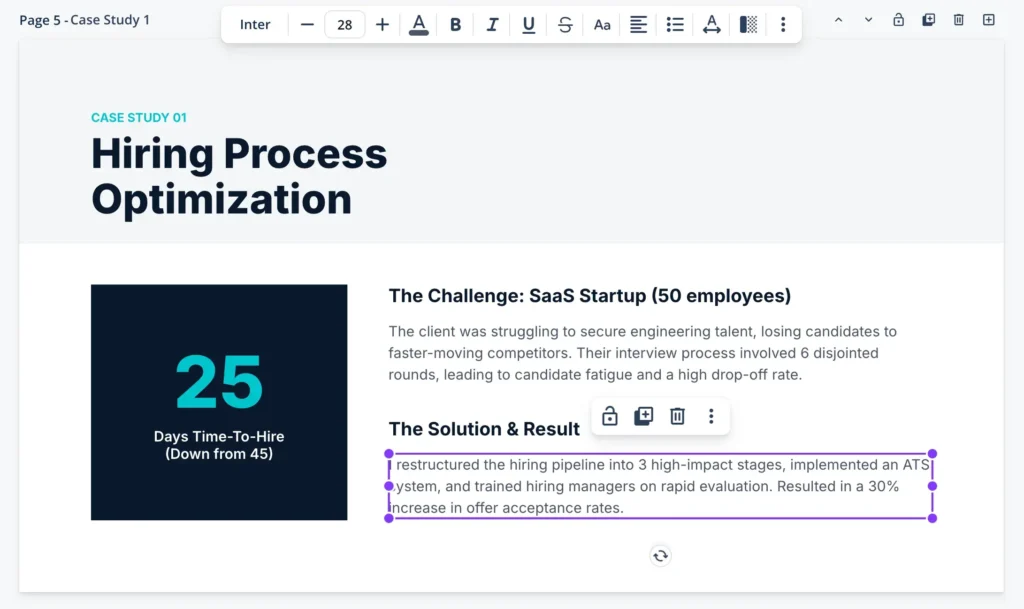
Quillbot also allows you to create freely. You can close the document and return later, knowing Quillbot will preserve your context, edits, and document state. You can also iterate without worry. Version history means you never need to start over, so every iteration builds on the last.
By combining AI-assisted drafting and design and manual editing in one place, you can efficiently create a polished, professional portfolio presentation that integrates both your content and design. Quillbot also always lets you continue from where you left off, so you never lose progress if you have to jump into a meeting or pick up a call from a client.
Your goal at this stage: Edit and refine your AI-generated portfolio presentation so it matches your brand identity or personal style.
That said, don’t let something like a logo be a blocker to creating your portfolio presentation. Done is better than perfect, and you can always use your name in a nice font in place of a logo.
4. Share and get feedback
The old adage is true: no one is an island. Having a fresh set of eyes review your portfolio presentation is always valuable. Feedback helps you catch unclear phrasing, spot missing context, and identify design choices that may be confusing or distracting.
Start by sharing your draft with friends, mentors, or trusted peers. Ask them to focus on clarity, impact, and how well your portfolio communicates your skills and results. Quillbot allows for easy sharing, allowing other users to access and review your presentation. Any changes you make will be synchronized live for all users with access, so your reviewers always see the most up-to-date version of your portfolio.
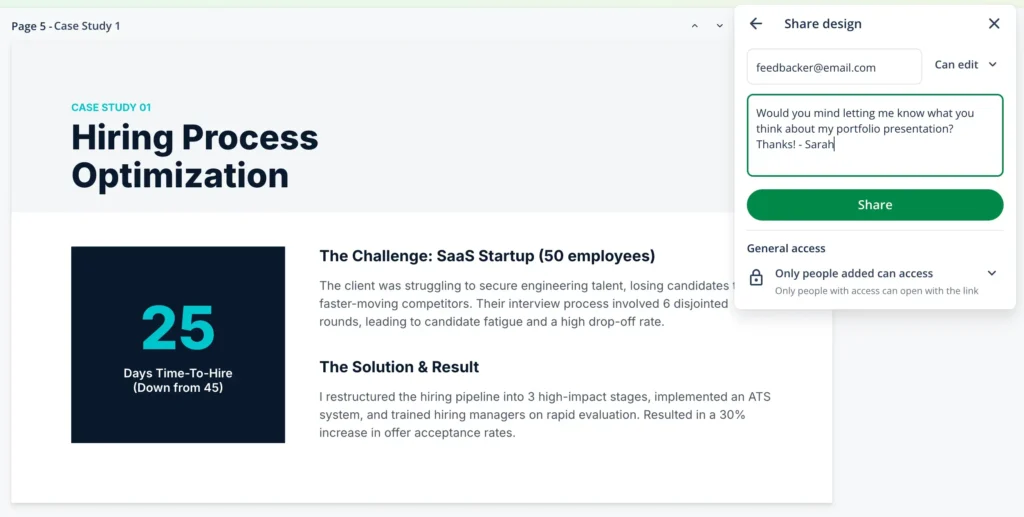
Iterate on your presentation until it clearly highlights your strongest work, tells your professional story, and demonstrates the results you’ve achieved. By incorporating feedback early, you ensure your portfolio is polished, professional, and ready to impress clients or hiring managers.
Your goal at this stage: Get feedback on your portfolio presentation and edit accordingly.
Try a prompt like this: “I’ll copy and paste the content of my portfolio presentation here. Tell me if there are any spelling, grammar, or clarity errors, and offer feedback on what’s done well and what can be improved. [Copy and paste content].”
5. Repurpose your design for other platforms
Once your portfolio presentation is complete, you can adapt it for other professional uses. Many elements of your portfolio (e.g., project summaries, visuals, or testimonials) can be repurposed for different formats, like:
- A resume or CV
- A printable version of your portfolio
- Social media posts to promote your work
- Email newsletters or pitches
Repurposing your portfolio presentation content allows you to maximize the value of the work you’ve already created while keeping your messaging consistent across platforms.
With Quillbot, you can download your portfolio presentation as a PDF and then upload it as a supporting document when creating another type of content. Moreover, your edit history and AI-assisted conversations are preserved, so you can easily recover content that didn’t make it into the final presentation but could be useful elsewhere.
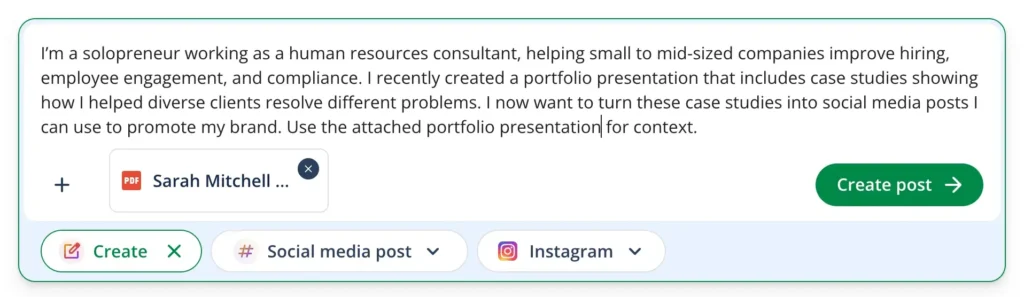
Your goal at this stage: Strategically choose how you can use the information and assets in your portfolio presentation in other formats as a way to promote yourself and your work.
Frequently asked questions about portfolio presentation
- What is a career portfolio?
-
A career portfolio documents education, skills, and work samples. It’s different from a resume or CV in that it offers more detail and usually includes multimedia work samples.
Career portfolios can take different forms. Some professionals build a portfolio website, and others create a portfolio presentation they can share with others.
Quillbot helps you create a career portfolio as either a document or a presentation.
- What are some tips for creating a UX portfolio presentation?
-
A UX portfolio presentation should clearly communicate how you approach design problems and the impact of your work. Follow these tips to create a great UX portfolio presentation:
- Select 2–4 strong case studies instead of many small projects
- For each, briefly explain the problem, process, and outcome
- Include visuals like wireframes, prototypes, and user flows
- Keep slides simple and focused
- Tailor your presentation to your audience
Quillbot helps you build your portfolio presentation, write case studies, and ensure all content is error-free.