Best AI Humanizer | Tool Comparison (2026 Guide)
AI is everywhere, and there are more AI tools out there than ever before. And with so many people now using AI detectors to identify AI-generated text, AI humanizers are having their moment.
But each tool is a bit different, and with so many available, it can be overwhelming to decide which is the best AI humanizer for you. Ultimately, the answer depends on you, but in order to find it, you need to be well-informed about your options.
This article examines 15 of the best AI humanizer tools currently on the market. Keep reading to learn about their focus areas, price points, and features so you can decide which one is the best fit for your needs.
And given that you’re here on Quillbot now, if you want to try an AI humanizer straight away, give Quillbot’s AI Humanizer a go. You can also find it in the best AI humanizer comparison below so you can see how it stacks up to other tools.
Key takeaways
- Compare 15 of the best AI humanizer tools side by side, including their pricing, free plans, standout features, and ideal use cases, so you can quickly narrow down your options.
- Learn what sets each tool apart, from in-editor editing and tone controls to AI detector integration, rewrite styles, and SEO or academic features.
- Use the comparison table to evaluate free limits, subscription costs, and key capabilities at a glance, making it easier to choose the right AI humanizer for your needs and budget.
- Try Quillbot’s free AI Humanizer immediately or explore the full comparison to find the tool that best matches how you write and edit AI-generated content.
Best AI humanizer: tool by tool
These are 15 of the best AI humanizers out there right now. Read a brief review of each and get a glimpse of what the tool looks like before you explore them on your own. Pricing, features, and usage limits were verified at the time of writing but may change over time as tools change and evolve.
Quillbot
Quillbot’s AI Humanizer offers free and premium modes. With the free plan, you can humanize up to 125 words at a time (for longer texts, break them into 125-word segments). You can edit the output right in-tool, and the Humanizer also integrates with other Quillbot writing tools, like Paraphraser so you can swap words for synonyms that feel like a better fit.
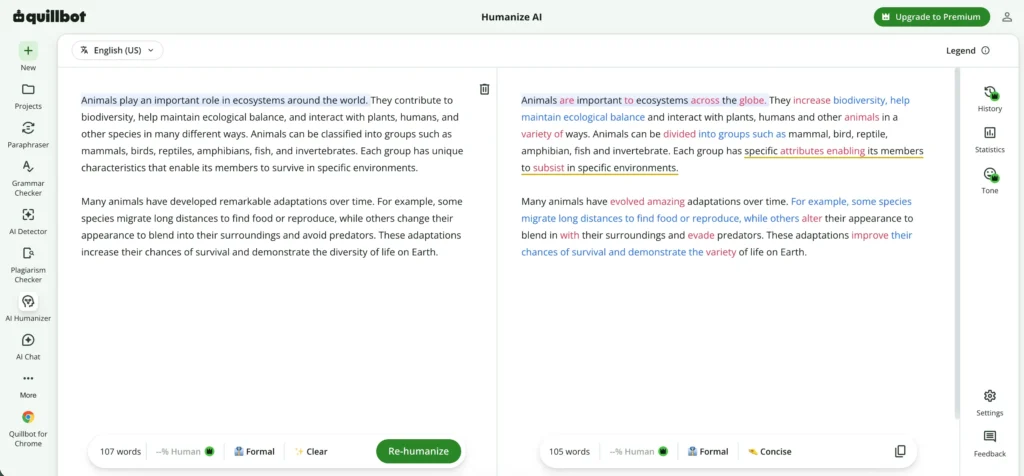
If you want extra features, Quillbot’s Premium costs $8.33 per month for an annual subscription and offers the following:
- No specific word limit
- Integration with Quillbot’s AI Detector to show you your text’s human score
- Tone analysis to help you understand how your text may come across to readers
- Version history so you never lose your work
- Access to other Quillbot tools like Paraphraser, AI Detector, AI Chat, Grammar Checker, Translator, Plagiarism Checker, Citation Generator, Summarizer, and Image Generator
Quillbot’s Humanizer works quickly and flexibly, allowing you to have final control over your humanized text. The user interface is clean and easy to navigate, so you focus less on searching and clicking and more on crafting a great text.
AIHumanize.io
You can use AIHumanize.io for free with a 200-word limit per request and the default “Balance” and “General” rewrite styles. When using the free version, you’ll have to wait about a minute for your humanized text, and then you’ll be able to see the tool’s changes in purple.
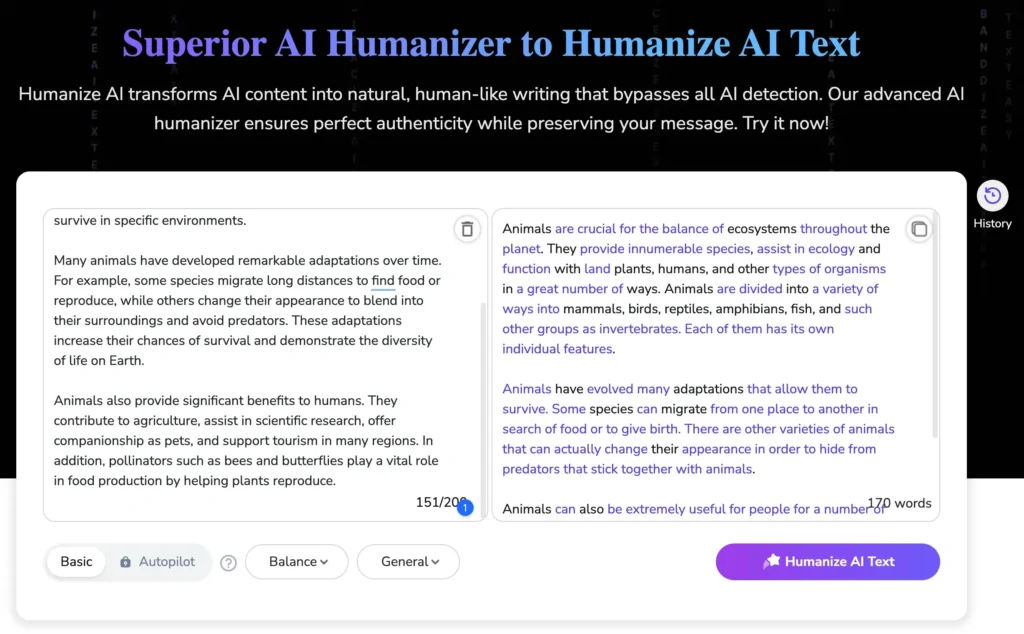
Paid subscriptions range from $6 to $20 per month when billed annually and offer higher monthly word limits (15,000–unlimited) and words per request limits (500–3000), Autopilot mode, access to all rewrite styles, and credits you can use to get reports about how well your text may perform when put through common AI detectors.
AISEO
AISEO focuses on humanizing text for SEO contexts. You can humanize text without signing up and can choose from basic readability levels (“University” or “High School”) and purposes (“Academic,” “General Writing,” or “Essay”). The humanizer also gives you an estimation of how AISEO thinks the output will hold up against common AI detectors.
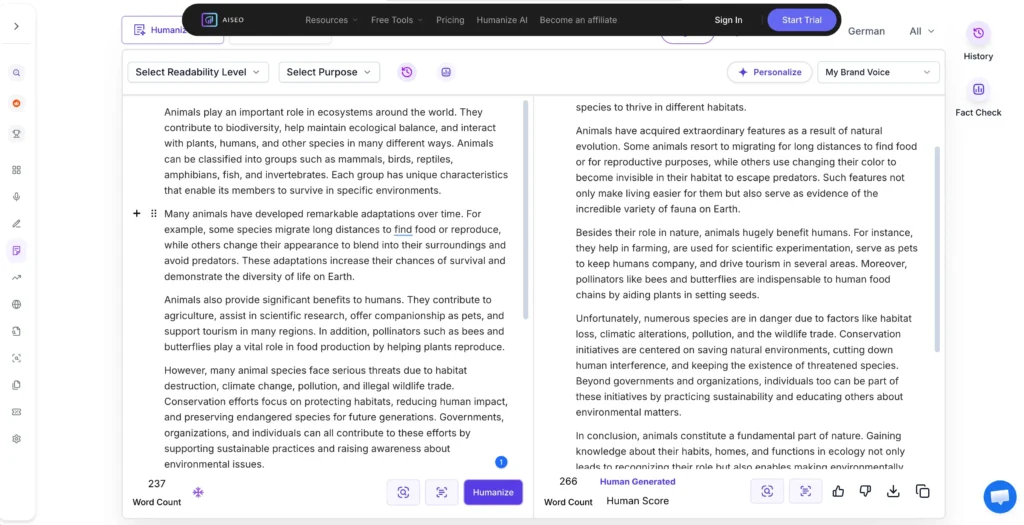
AISEO offers two sets of paid plans: “AI & Visibility” or “Humanizer.” The humanizer plans run from $15 to $79 with different monthly word limits (50,000–unlimited). Some other included features are one-click blog post creation, brand voice customization, personalized goals, topical authority, and outrank articles. You can get a trial of one of these plans for one day for $1.
Clever Humanizer
Clever Humanizer is currently completely free with unlimited monthly usage, a 3,000-word per process limit, and one writing style (“Normal”). When you humanize a text, the tool displays its edits in green. You cannot edit the output within the tool but can copy/paste it to edit it elsewhere.
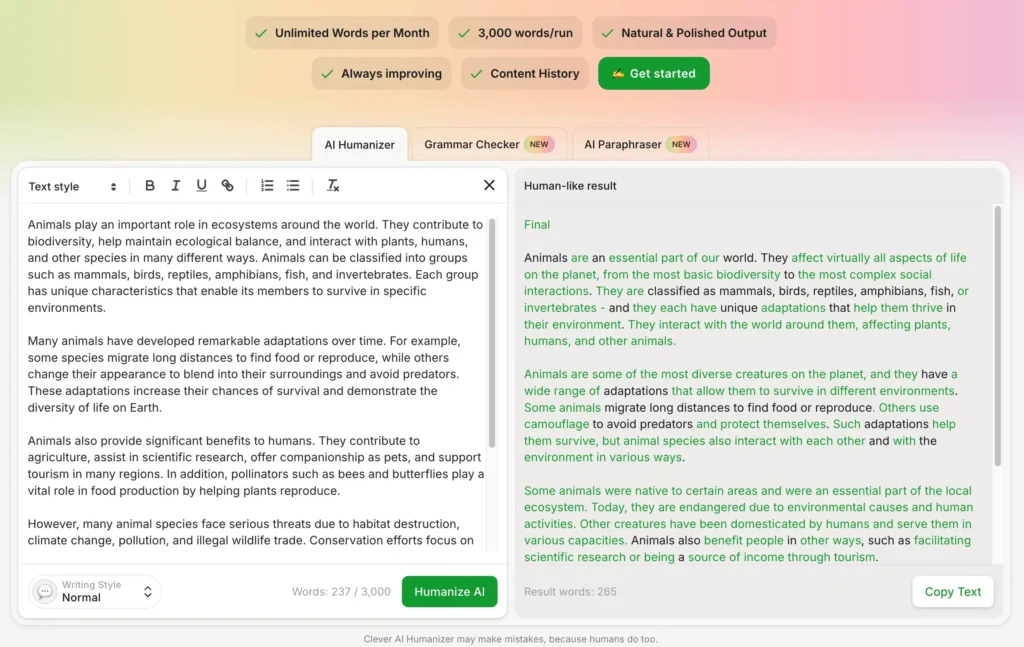
If you sign up (for free), you can also access your history to see all the texts you’ve humanized with the tool.
EditGPT
EditGPT requires you to sign up before using the humanizer, and the free plan lets you humanize text with limits of 20,000 words per month, 600 words per document, and with three documents in your account at a time.
Choose the rewrite style (e.g., “Proofread,” “Streamline,” or “Formal”), and EditGPT adapts your text to match it. Edits are shown in green, with what’s being replaced in red, and you can accept or reject changes one by one or all at once.
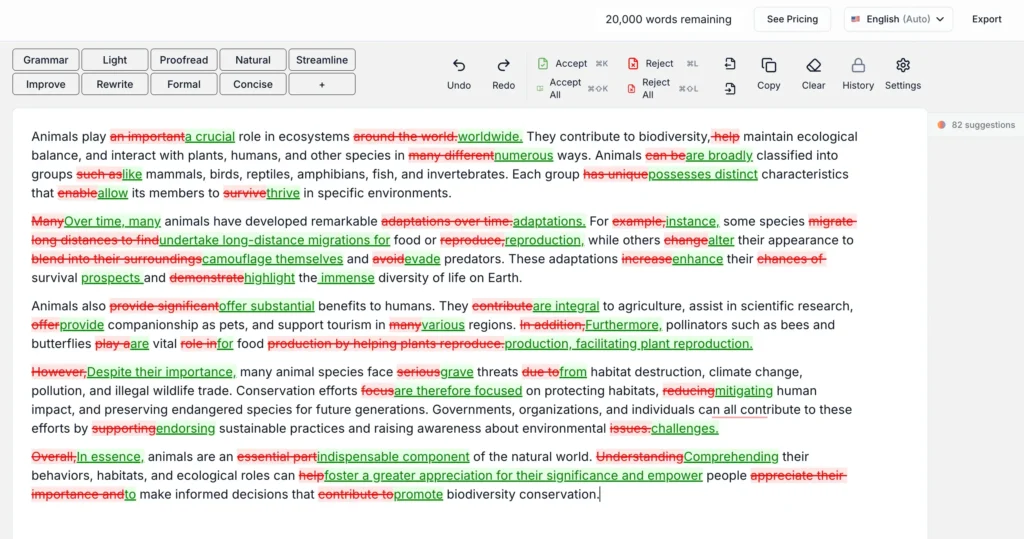
Paid plans range from $8 to $100 per month billed annually and offer higher limits on monthly words (500,000–unlimited) and words per document (200,000), Word and Excel imports, document history, custom prompts, and a suggestions panel.
EssayDone
EssayDone is an academically focused humanizer whose free version includes three uses with a 300-word limit per use. You can choose the rewrite’s “level of human,” which affects how deeply your text is rewritten. Changes aren’t color coded, but if you hover over a paragraph, you can see which of your original paragraphs it rewrote. You can’t edit in-tool but can copy the output text.
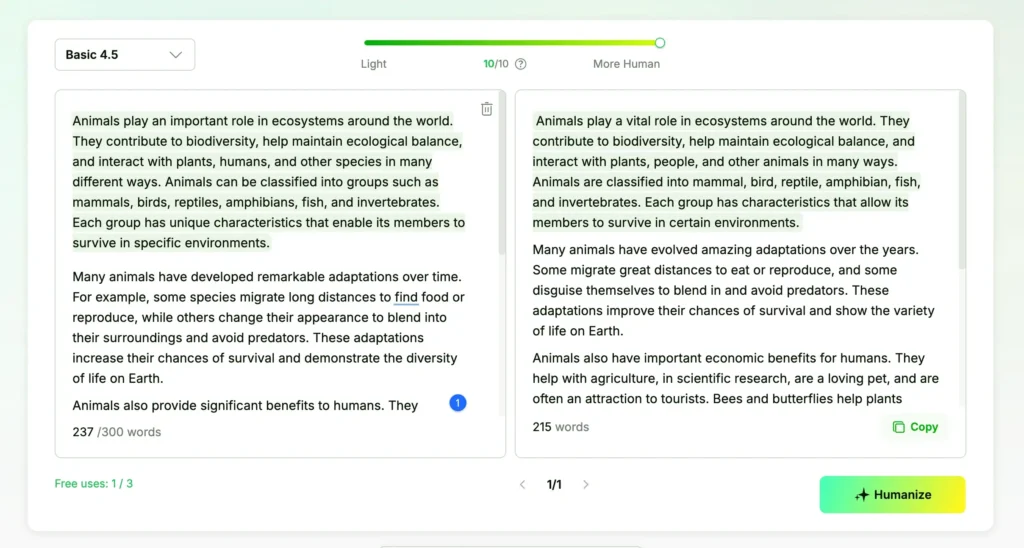
Apart from its humanizer, EssayDone has other tools, including WriterGPT, which generates texts, and AI Scholar, which explores academic papers. Paid plans run from $19 to $49 per month when billed annually, and humanizer limits differ for monthly words (10,000–unlimited) and words per input (1,000–5,000). Other tools have other usage limits.
GPT Human
GPTHuman requires you to sign up to use the free version of the tool, which works with credits. Each word you humanize costs one credit, and the free plan gives you 300 monthly credits, meaning you can humanize 300 words per month.
Once you humanize your text, you cannot edit it within the tool. You’ll see three scores: human, readability, and similarity (how similar the humanized text is to the original).
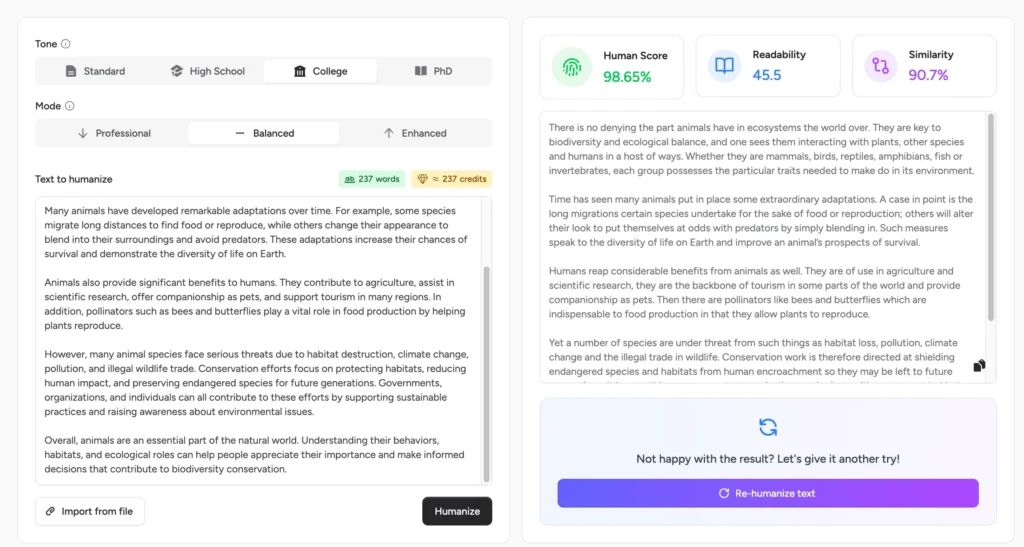
Paid plans cost between $8.25 and $26 per month (when billed yearly) and offer different limits with respect to the words per month (25,000–unlimited) and the words you can humanize in one output (750–2,000). Paid plans also include access to GPTHuman’s AI detector and human content generator plus other features.
Grammarly
Grammarly’s tool allows you to paste text and click “Humanize,” but before you get your output, you’ll be prompted to create an account. The main difference between Grammarly’s free and paid plans isn’t usage limits but included features.
When humanizing text, Grammarly asks you to select a voice. You can choose from preset options (e.g., “the Scholar” or “the Executive”), or you can describe your own. The tool will suggest changes one by one, allowing you to accept or dismiss them. You’ll notice some suggestions are blurred out, as they are only available in paid plans.
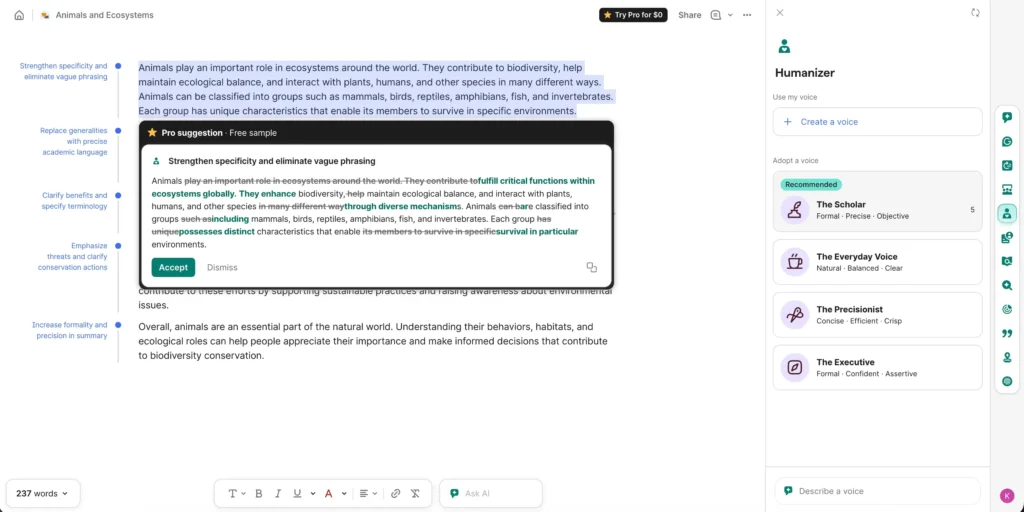
Grammarly’s Pro plan costs $12 monthly when billed yearly, and it also offers enterprise plans for larger organizations. Grammarly Pro lets you rewrite full sentences, adjust your tone, catch accidental plagiarism, and use 2,000 AI prompts, among other added features.
Humalingo
Humalingo doesn’t offer a free plan. Once you enter your text, the tool prompts you to subscribe to get your humanized text. You can try it out for a week for $2 or subscribe for $9.99 per month when billed annually (or $19.99 if billed monthly).
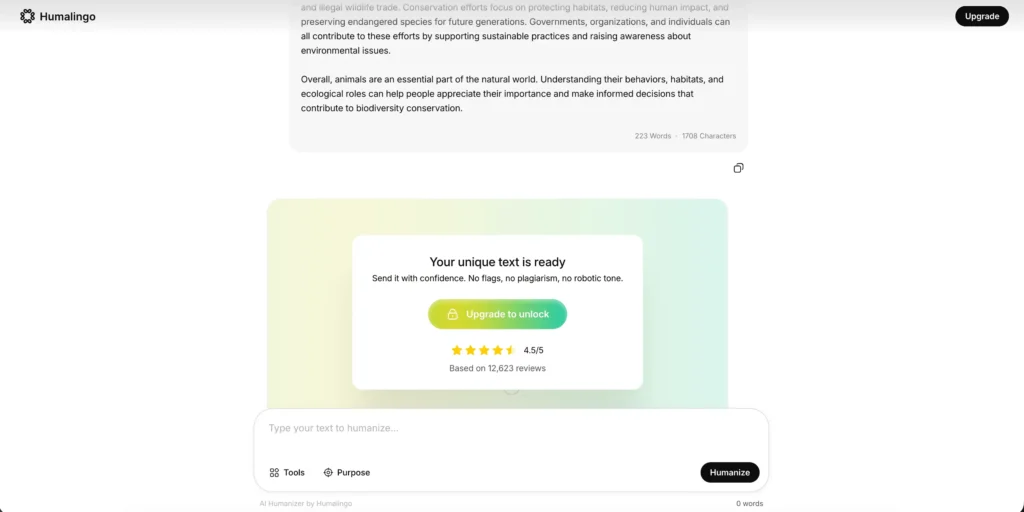
The $2 trial offers basic features, while the subscription plans include advanced ones, including unlimited working history, access to the pro humanizer and pro AI detector, and tone and style controls.
Humanizer.org
Humanizer.org lets you humanize up to 80 words using the free version. You can choose from three modes (”Basic,” “Fast,” and “Enhanced”), and once you humanize the text, the tool shares Humanizer.org’s estimation of whether or not certain AI detectors will think the output is AI-generated.
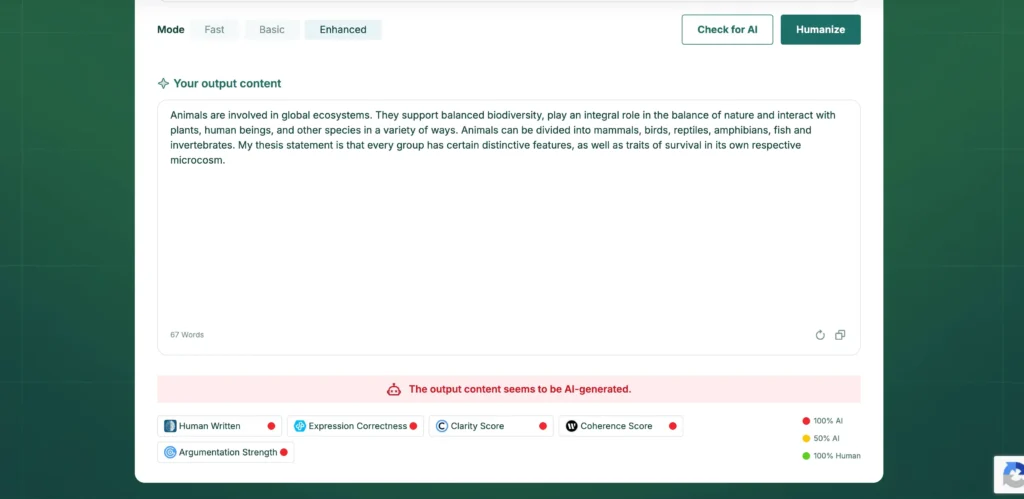
Paid plans range from $9.99 to $19.99 per month when billed annually and offer higher words-per-month limits (8,000—unlimited), multilingual humanization, built-in originality insights, and more.
HumanizeAI.pro
HumanizeAI.pro has a free version that lets you humanize up to 200 words using the “Free” mode. When you humanize, the tool highlights changes in green, and you can click “Check for AI” to get an analysis of how human-written the text appears to be according to different AI detectors.
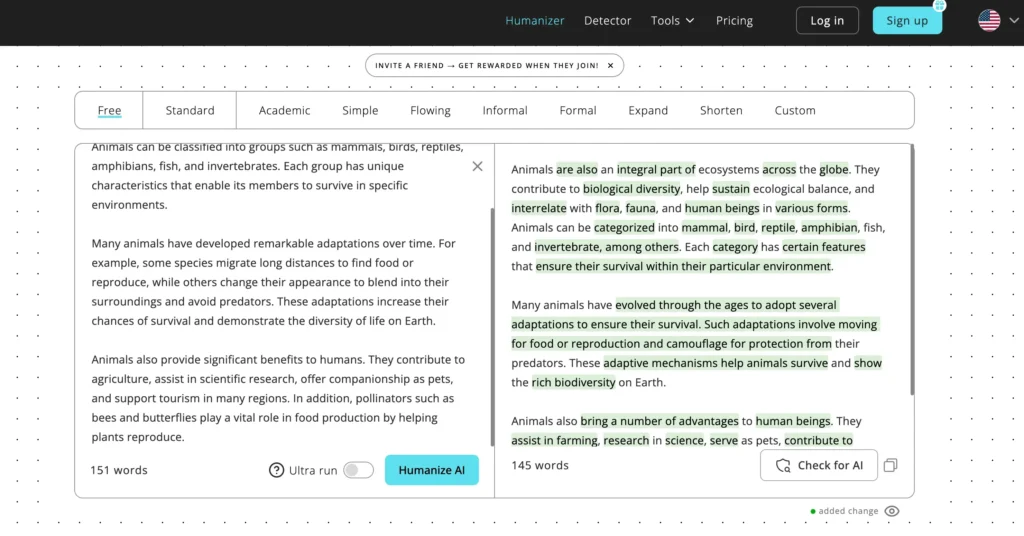
Subscriptions cost between $4.99 and $29.99 if billed annually and include all modes and settings, unlimited plagiarism and grammar checks, and customer support. The main difference between the plans is the usage limits with respect to monthly words (10,000–unlimited) and words per process (500–unlimited).
Phrasly
Phrasly requires you to sign up to use the free version, which allows you to humanize up to 300 words using one of three humanization strengths (”Easy,” “Medium,” or “Aggressive”). After you use up your 300 words, you can claim more words by completing tasks, like joining Phrasly’s Discord server or logging in daily.
Once humanized, you can hover over a sentence and choose alternatives. Or, click “Check for AI” for Phrasly’s estimation of how likely the text is to pass AI detectors.
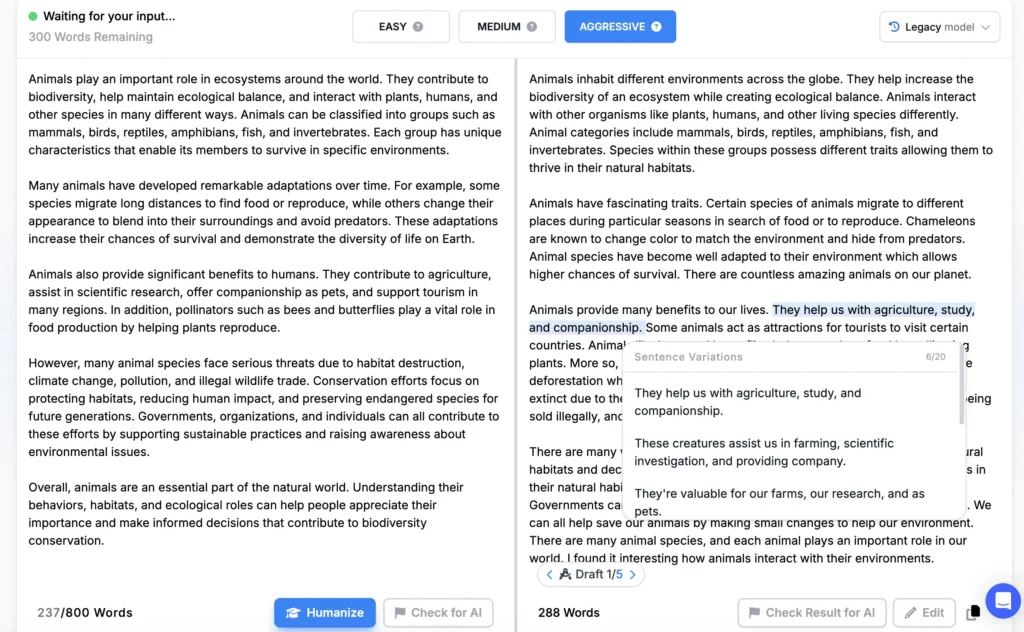
Phrasly’s unlimited plan costs $9.62 per month billed annually and includes unlimited humanizations, 5,000 words per process, plus access to their plagiarism detector and content generator. You can also pay $1.75 for three days of access to just the humanizer, which grants 50 uses per day with each process limited to 800 words.
Textguard
Textguard’s humanizer does not have a free version. The tool lets you paste your text and click “Humanize,” and then you will then be prompted to sign up and subscribe.
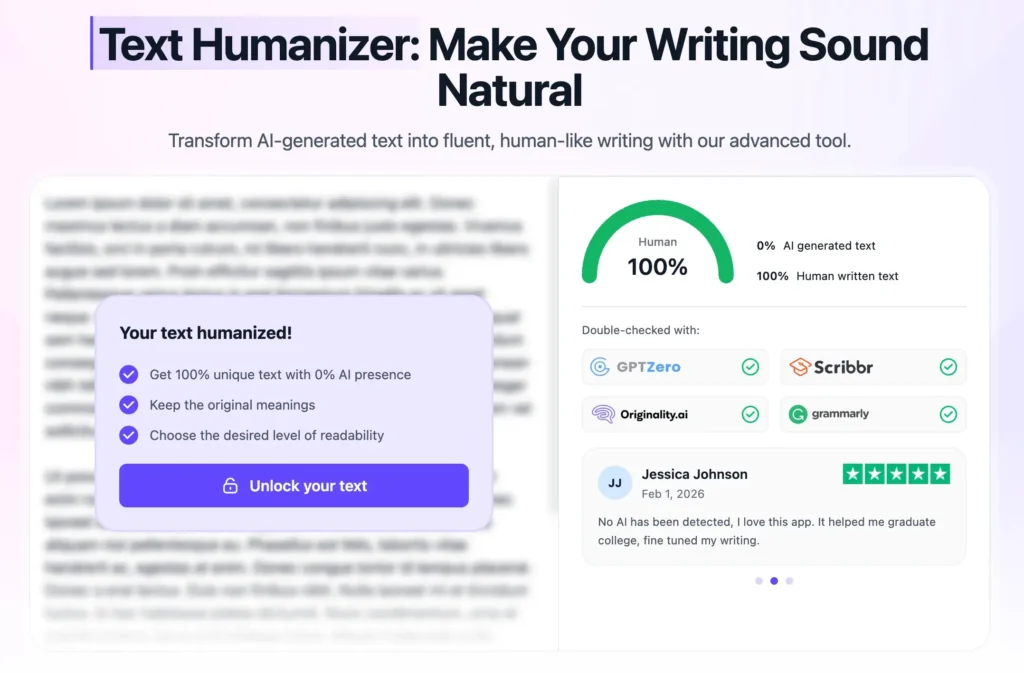
You can choose from subscriptions for two weeks ($7.99), four weeks ($11.99), or 12 weeks ($23.99). These plans include access to Textguard’s humanizer, AI detector, and plagiarism checker.
WriteBros
WriteBros allows you to try its humanizer for free after signing up. You can humanize two documents, called “essays,” with a limit of 1,500 words for each. After using up your two essays, you’ll be prompted to upgrade to a paid plan.
Paste your text, and the tool will provide an output. There are no modes or styles to choose from, and the output cannot be edited within the tool. You can access an archive of the texts you’ve humanized if you’d like to leave and come back later.
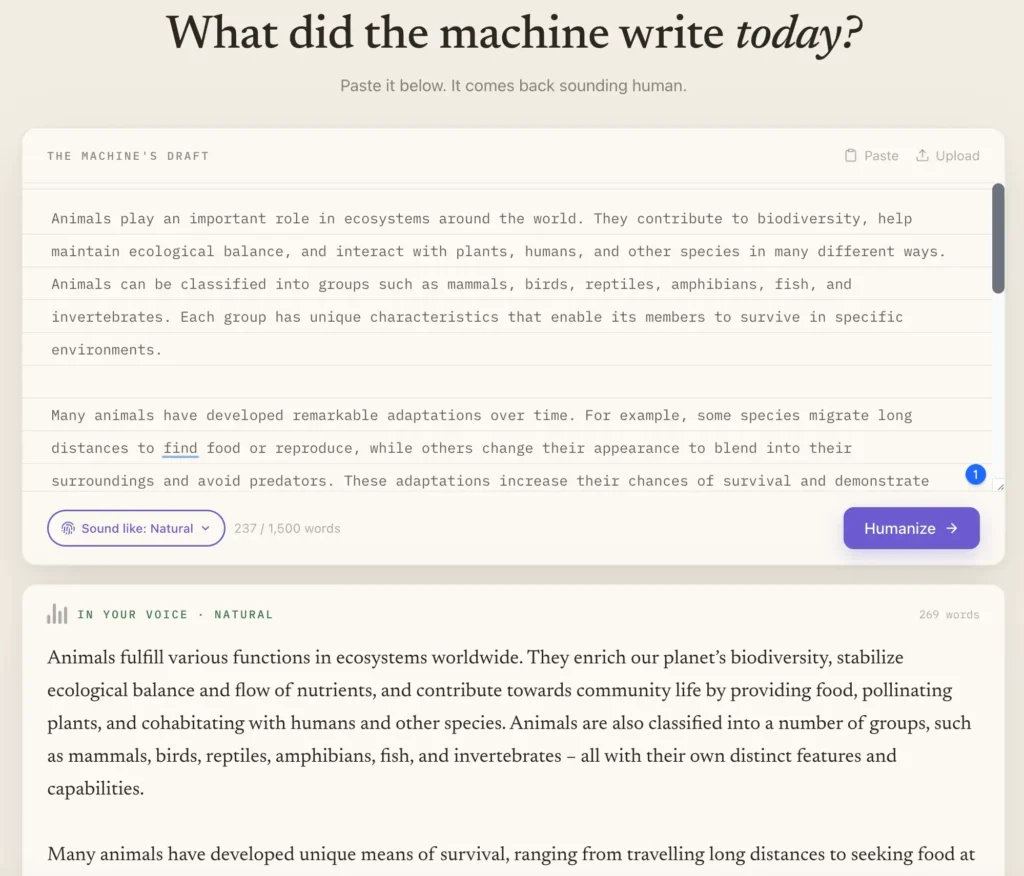
Paid plans range from $1.50 to $15 per month and have different limits on the number of essays you can humanize per month (20–100). All plans set a 1,500 word limit per essay. Plans also include access to an AI detector and customer support.
ZeroGPT
ZeroGPT, which works in conjunction with Undetectable AI, allows you to humanize for free without an account. After humanizing, the tool also shows a “confidence score,” which breaks down the probability of your text being deemed human- or AI-written.
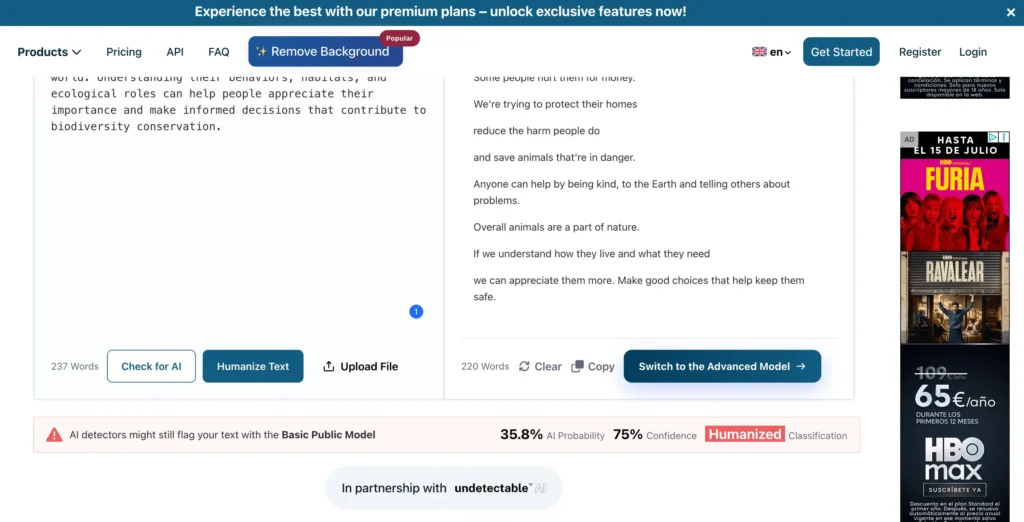
All paid plans, which run from $7.99 to $18.99 when billed yearly, include access to the AI humanizer as well as ZeroGPT’s AI detector, plagiarism checker, summarizer, translator, grammar checker, and ZEROChat-4. There aren’t specific limits for the humanizer, but there are limits for the other tools.
Best AI humanizer: Final overview
If you’re still not sure which is the best AI humanizer tool for you, this summary comparison table will hopefully help.
| Tool | Free plan | Starting price* | Starting monthly word limit on paid | Standout features |
|---|---|---|---|---|
| Quillbot | 125 words per request | $8.33/mo | Unlimited | Edit output in-tool, AI Detector integration, tone analysis, full writing suite (grammar, translator, etc.) |
| AIHumanize.io | 200 words per request | $6/mo | 15,000 | Multiple rewrite styles, AI detector reports |
| AISEO | A few uses (unclear limit) | $15/mo | 50,000 | SEO-focused humanization, readability settings, brand voice, topical authority |
| Clever Humanizer | Unlimited | Always free | Unlimited | Unlimited free usage, no signup required |
| EditGPT | 20,000 words per month | $8/mo | 500,000 | Accept/reject edits, document editor, rewrite styles |
| EssayDone | 3 uses | $19/mo | 10,000 | Academic focus, adjustable rewrite intensity, academic tools |
| GPTHuman | Via credits | $8.25/mo | 25,000 | Human/readability/similarity scores |
| Grammarly | Account required, no clear limit | $12/mo | Unlimited | Voice customization, writing assistant ecosystem |
| Humalingo | No | $9.99/mo | Unlimited | AI detector, tone controls |
| Humanizer.org | 80 words per request | $9.99/mo | 8,000 | Multiple modes, AI detection estimations |
| HumanizeAI.pro | 200 words per request | $4.99/mo | 10,000 | AI detector, plagiarism & grammar tools |
| Phrasly | 300 words total | $9.62/mo | Unlimited | Multiple rewrite strengths, sentence alternatives |
| Textguard | No | $7.99 for 2 weeks | Unclear | AI detector + plagiarism checker |
| WriteBros | 2 essays | $1.50/mo | 20 essays at 1,500 words max per essay | Archive/history, simple interface |
| ZeroGPT | 15,000 characters per request | $7.99/mo | Unclear | Confidence score, AI detector, translation, grammar tools |
*Annual billing where applicable. Pricing and features may change.
Frequently asked questions about best AI humanizers
- What’s the best free AI humanizer?
-
The best AI humanizer for you depends on your use case. To get started, some of the best free AI humanizers include:
- Quillbot’s AI Humanizer
- Clever Humanizer
- EditGPT
- Grammarly
- Phrasly
Try out each tool to see which works best for your unique needs