How to Use Free Poster Templates
If you’re a business builder wondering how your competitors are creating such professional-looking posters, the answer could be that they’re using a solution like Quillbot’s free poster templates.
From tutors and consultants to real estate agents, event planners, and market sellers, one-person business owners are turning to poster templates to design polished marketing materials that make a strong impression on their customers.
Read on to find out how you can use poster templates to connect with your clients and customers.
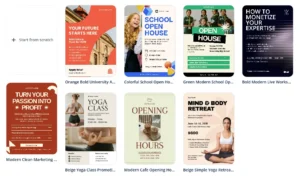
Poster templates
To show how quickly you can create a professional-looking poster with a template, let’s look at how a small business owner could do it—a coffee truck owner, for example.

Posters often play an important role in businesses like these. A coffee truck owner needs posters to promote special offers, advertise their event catering services, display prices, and let customers know where the truck’s going to be parked.
No complicated software
But poster making is just one of a long list of tasks that a coffee truck owner has to take care of besides preparing and serving beverages. They don’t have time to spend hours learning new software and need a quick way to create attractive, branded posters. And when you’re running a small business like this, you typically don’t have the money to hire a designer whenever you need new marketing materials.
If you’re a business builder, Quillbot’s free poster templates are a time-saving, practical way to create polished marketing materials. Instead of designing every poster from scratch, you can choose a layout from the template library and customize it in just a few steps to match your branding.
Your colors, fonts, and logos
With Quillbot’s intuitive design workspace, applying branding elements like colors, fonts, logos, and images to the templates is easy—saving you time when you need to make appealing, consistent posters for promotions, events, and your everyday business needs.
Making posters with Quillbot’s free templates
Quillbot’s poster templates are an attractive solution for busy business builders because they’re easy to customize with your own colors, fonts, logos, and images. And there’s no need to learn multiple pieces of complicated software with long dropdown menus and a wall of confusing buttons.
1. Choose your poster template
Imagine you’re a coffee truck owner who wants to use a Quillbot poster template to create a price list.
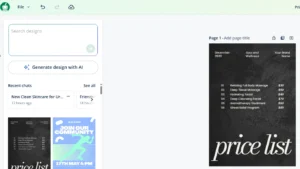
First, you enter “price list” into the search box to find a template you like that can be quickly adapted to match your branding.
2. Choose your brand fonts
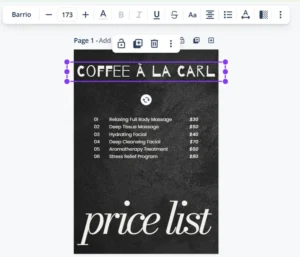
Next, you start to replace the text in the template using the fonts specified in your branding guidelines. Finding the right fonts is simple—you just enter the font names into the search box.
3. Choose your brand colors
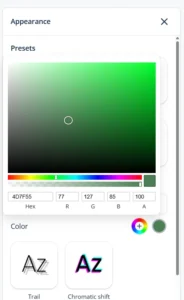
After entering the text and changing the fonts, you turn your attention to colors. The black background already matches one of your brand colors, so now all they need to do is introduce your brand’s “signature” green—the color of your coffee truck. You decide to do this by adding a green dropshadow to the main headings.
You look up the hex code for the right shade of green in your brand guidelines and enter it as the drop shadow color.
4. Resize and align
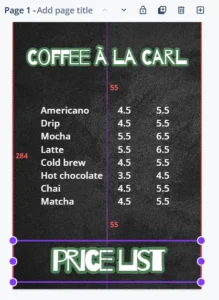
Now all that’s left is to resize and align the text boxes. Quillbot’s design workspace makes this easy, with alignment guides and position menu options that help you line up and evenly space each element.
5. Download your poster
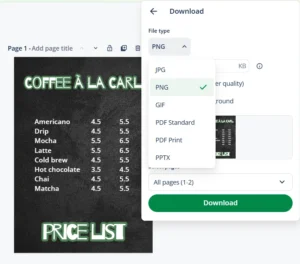
Thanks to Quillbot’s intuitive design interface, it’s taken you a matter of minutes to choose a poster template, enter the text, adjust the fonts and colors, and align the text boxes. You can now download the poster for printing or posting online.
Your design is also safely stored in the cloud and easy to find next time you need to add a new drink to your menu or change a price—you’ve created your own branded poster template that you can use again and again.
Frequently asked questions about poster templates
- Where can I find free event poster templates?
-
Quillbot’s poster templates include free event poster templates, including:
- Jazz night poster templates
- Webinar poster templates
- Running club poster templates
- Health expo poster templates
- Art exhibition poster templates