How Does AI Image Detection Work?
You’re scrolling through social media when you come across a golden retriever in sunglasses, sitting behind the wheel of a convertible. It’s cute, obviously fake, and harmless. Now picture the same tech pointed at something you’d actually believe, like a dating-profile headshot or a photo from a protest that never happened. That’s when things get more complicated.
AI image detectors can help by picking up patterns that aren’t always visible to the human eye. Here’s what they look for and how tools like Quillbot’s AI image detector can help you check an image.
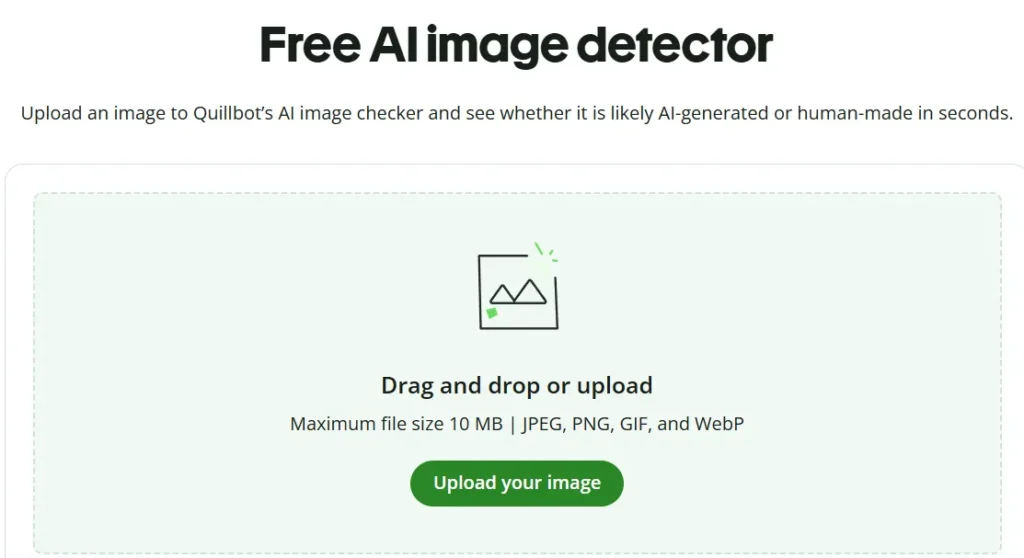
Quillbot’s AI Image Detector
Key takeaways
- AI image detectors estimate whether an image was generated or altered with AI by analyzing visual and technical clues.
- They look for patterns in pixels, textures, lighting, and other image details that may differ from those in human-created images.
- A detector’s result is an estimate, not proof. Image quality, editing, compression, and other factors can affect the result.
- You can use Quillbot’s AI Image Detector to check an image in a few steps and get a percentage-based confidence score.
What is an AI image detector?
An AI image detector scans an image and estimates whether it was generated by AI. It looks past what your eye catches—pixel patterns, textures, lighting, and the small inconsistencies AI models tend to leave behind. Some tools also check the file itself for metadata or other clues about how it was created. Then the detector weighs what it finds against patterns it’s learned from thousands of real and AI-generated images.
The result is a probability, not a fact. A detector, for example, might report that an image is 85% likely to be AI-generated or flag it as a probable deepfake. That’s evidence, not proof. It can’t tell you who made an image or why, and it can get things wrong—especially when an image has been heavily edited or has low resolution.
For this reason, detectors work best alongside your own judgment. Knowing how to spot AI images yourself can help you assess an image when a detector isn’t available or its result is uncertain.
What do AI detectors look for in images?
AI image detectors don’t look for one obvious giveaway. Instead, they weigh a combination of visual and technical clues that tend to differ between AI-generated and human-created images:
- Pixel patterns and noise. AI image generators produce images through a generative process that can leave statistical patterns in the final image. Detectors can analyze pixel distribution, color values, and noise across the image to look for these patterns.
- Textures and fine detail. AI-generated images often have subtle inconsistencies in areas such as hair, skin, fabric, and backgrounds. Skin can have a plastic look, hair strands can blur together instead of falling individually, and fabric folds may not drape the way real material does. You’d probably scroll right past it, but these small details can provide useful signals to a detector.
- Lighting, shadows, and edges. AI models can struggle to keep light physically consistent throughout an image. A shadow might fall the wrong way, or a reflection might not match the light source. Two people in the same scene might even look as if they’re lit from different directions. These inconsistencies can help detectors identify AI-generated images.
- Metadata and other file information. Some tools dig into the file itself for clues about how an image was made or edited. It’s a useful signal, but not a reliable one on its own, since metadata is easy to strip or change.
How to use an AI image detector
You can use an AI image detector whenever you’re unsure if an image is authentic or has been altered with AI. For example, you might check a product photo before buying something online or a dating-profile picture that seems too good to be true. You can also use it to check news images before sharing them or to flag edits such as face swaps and AI-generated backgrounds.
Quillbot’s free AI Image Detector lets you check an image in three steps:
- Upload your image. Drag a JPG, JPEG, PNG, GIF, or WebP file into the detector, or select one from your device. You can also check screenshots and images downloaded from social media, although an original file gives the detector more detail to work with.
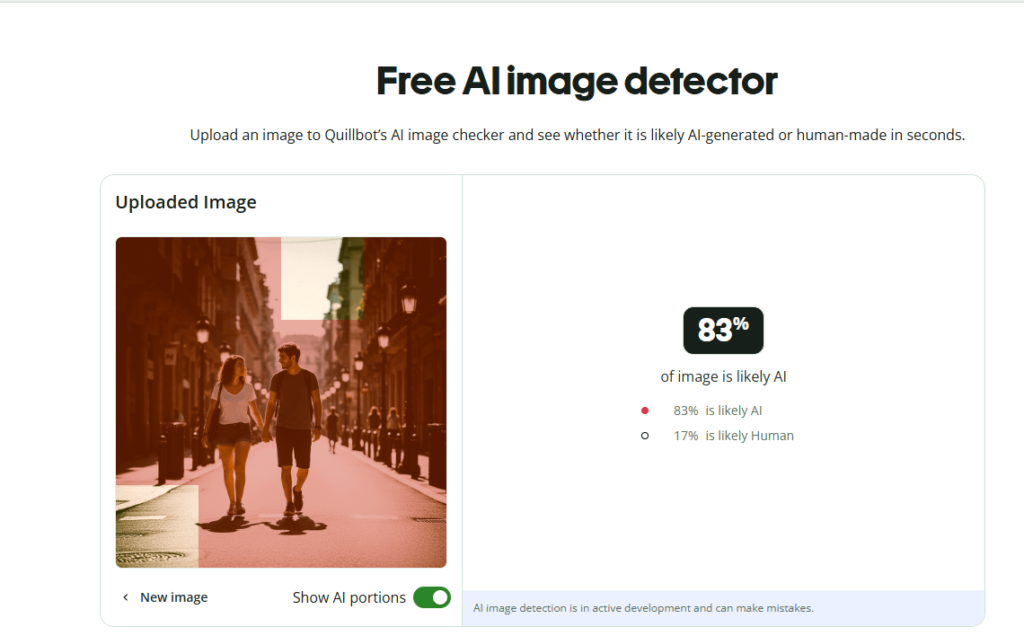
- Let the detector analyze it. Quillbot scans the image for visual patterns and other signals associated with AI-generated or AI-manipulated images. If only part of an otherwise real image has been altered, it can also flag areas that may have been generated or edited with AI.
- Check the result. The detector returns a percentage-based confidence score showing how likely the image is to be AI-generated. Treat the score as an indication rather than definitive proof, especially if the image has been heavily edited, compressed, or resized.
Frequently asked questions about AI image detection
- How can you check if an image is AI generated?
-
There are a few ways you can check if an image is AI-generated.
First, review the image for anything that doesn’t look quite right. AI-generated images often have distorted text, patterns, or human features (especially faces and hands).
Second, check for metadata information. Some AI image generators use specific filenames or imprint AI watermarking on their images.
Third, understand how AI image detection works and how you can use it to assess whether an image was generated by AI. One helpful tool is Quillbot’s AI Image Detector, which lets you check an image quickly.
Want to test your skills at spotting AI-generated visuals? Try our Human or AI quiz and see if you can tell what’s real and what’s made by AI.
- How accurate are AI image detection tools?
-
AI image detection tools have improved a lot, but they aren’t perfect. They can usually identify many AI-generated images by spotting common visual clues, but sometimes they may miss subtle fakes or wrongly flag real photos.
Using tools like Quillbot’s AI Image Detector alongside visual checks and source verification gives you the best chance of spotting AI-generated content accurately.
- What’s the difference between deepfakes and AI-generated images?
-
Deepfakes are a specific type of AI-generated content designed to imitate a real person, usually to mislead. They typically involve face swaps, recreating someone’s likeness, or generating realistic visuals that make it look like a person said or did something they never actually did.
Other AI-generated images are created from scratch using text prompts: things like fantasy art, stock-style photos, or conceptual illustrations. They’re synthetic, but they’re not pretending to be real people or events.
In short, all deepfakes are AI-generated, but not all AI-generated images are deepfakes.
Not sure if an image is real? Run it through Quillbot’s AI image detector for a quick percentage score showing how likely it is to be AI-generated.
Other interesting articles
If you want to know more about colors, letters, or the meaning of emojis, make sure to check out some of our other articles with explanations and examples.